
FS25 Misc

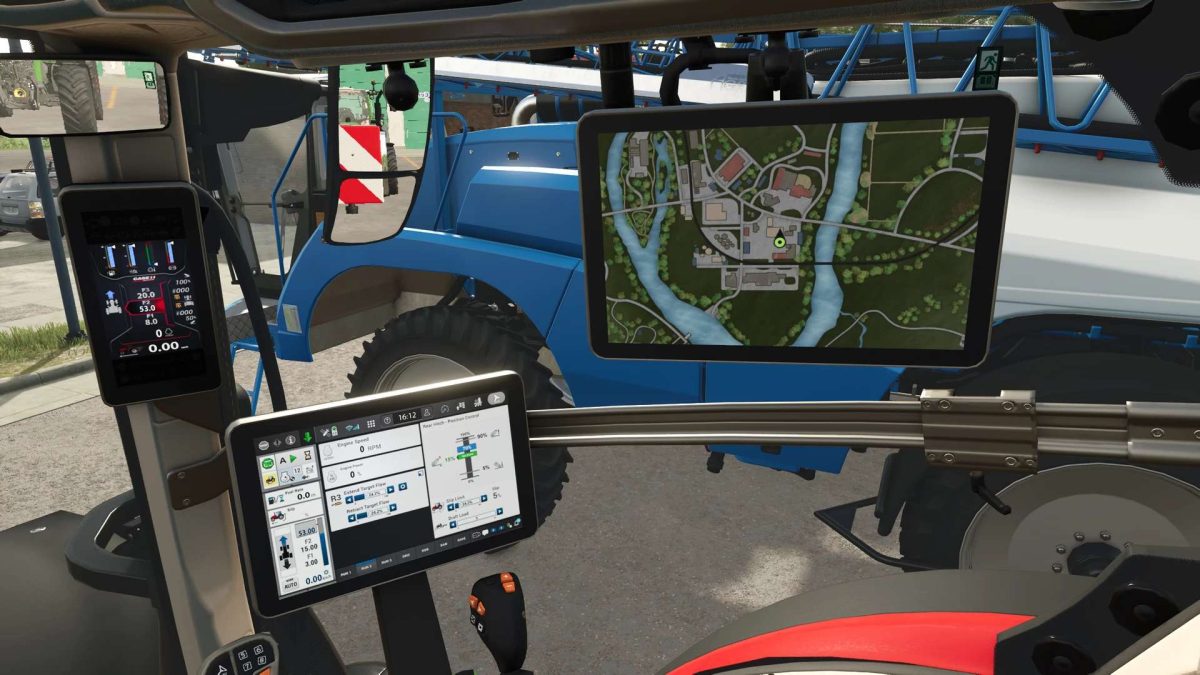
Real GPS v 1.0
Real GPS v 1.0

Real GPS v 1.0

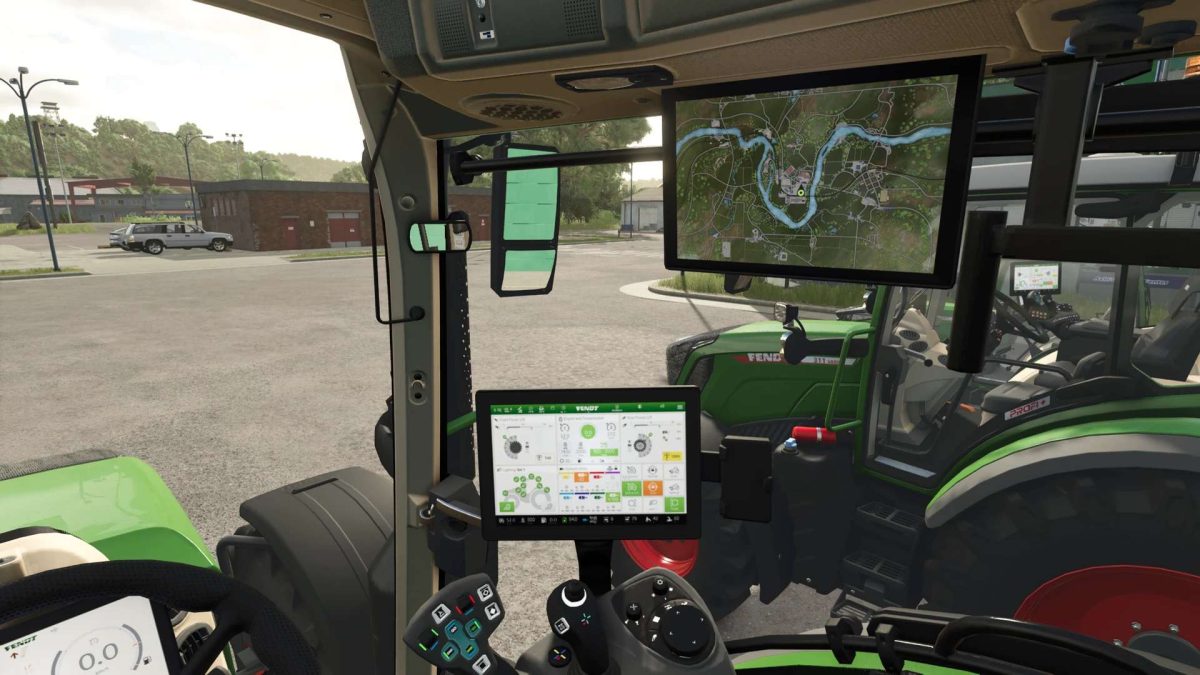
Allows you to display the PDA in the tractor itself.
Activate setup mode: Right Shift + L
Map zoom: Right Ctrl + Page Up / Page Down
Toggle map rotation: Z
Setup mode must be active to change the map properties!
It is also possible to create your own PDAs for the mod.
With the LS25 release, the mod will also be included in all base game vehicles where it was feasible and useful.
Mod vehicles must be prepared for the mod.
An installation tutorial and instructions for creating a custom PDA will follow soon.
This mod is currently in beta. If you find any bugs, you can report them in the bug tracker.

Credits:

BayernGamers
How to install FS25 Misc?
Firstly find a mod which you like and want to download. Then download a mod to your PC. Mods are usually in .zip format file. But sometimes it can be in .rar. If a mod file is a .zip format no needed additional actions. If a file is in .rar, then you must unarchive mod with software like WinRar or Zip7. Windows 10 users no need to use software for archives, Win10 itself has a feature to unarchive files.
The next step is to find mods folder in your PC. Usually, it is in Documents/My Games/Farming Simulator 25/2025. Open the "mods" folder and put downloaded .zip archive or unarchived .rar file to this folder.
Last step. Enjoy of FS25 mods!

Leave a Reply

Your email address will not be published. Required fields are marked *