


Ray County, Missouri Map v 1.0


– Utilizes real elevation data with accurate road, farm, railroad, and field placement
– Nearly all buildings in the map are custom made for the project
– Multi angle terrain, alfalfa, NH3, starter fertilizer, two UAN fertilizers, corn stalk & soybean straw bales, propane, dry corn
– Custom soil map to use with Precision Farming that turns each field into “yield zones”. Areas of each field will yield better or worse depending on factors such as slope, proximity to trees, ditches, etc…
– Seasonal items for both farm houses as well as weather effects on the paved roads
– All farm buildings and decorative items can be sold
– Custom weather and adjusted lighting
– Custom corn, soybean, and alfalfa textures
– Custom train and railcars
– Custom cattle pasture (does not produce slurry or manure)
– Custom calf weaning pen (does produce manure if you place the custom manure heap placeable). Refer to the to image for proper placement
– Custom pig enclosure with animated feeder lids
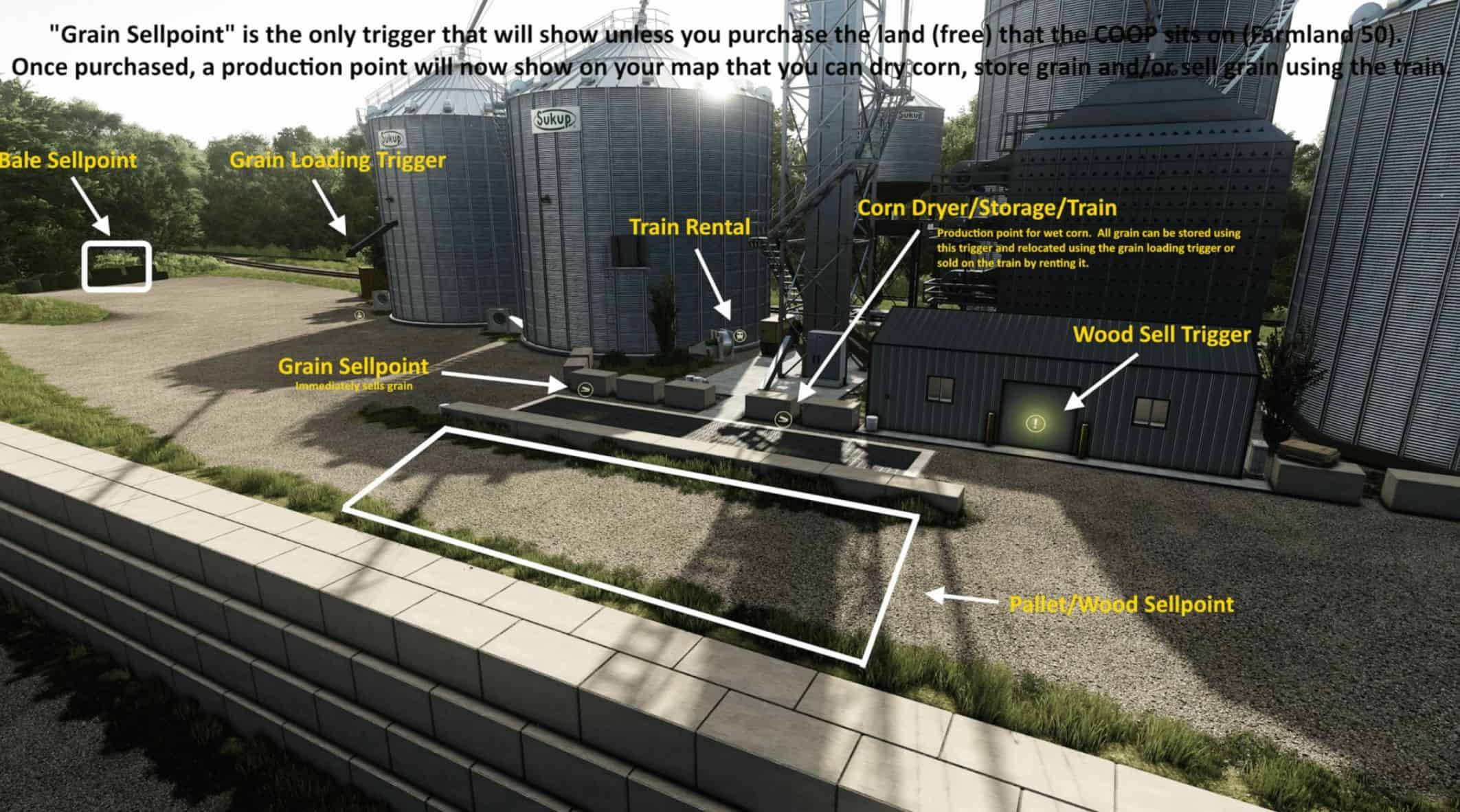
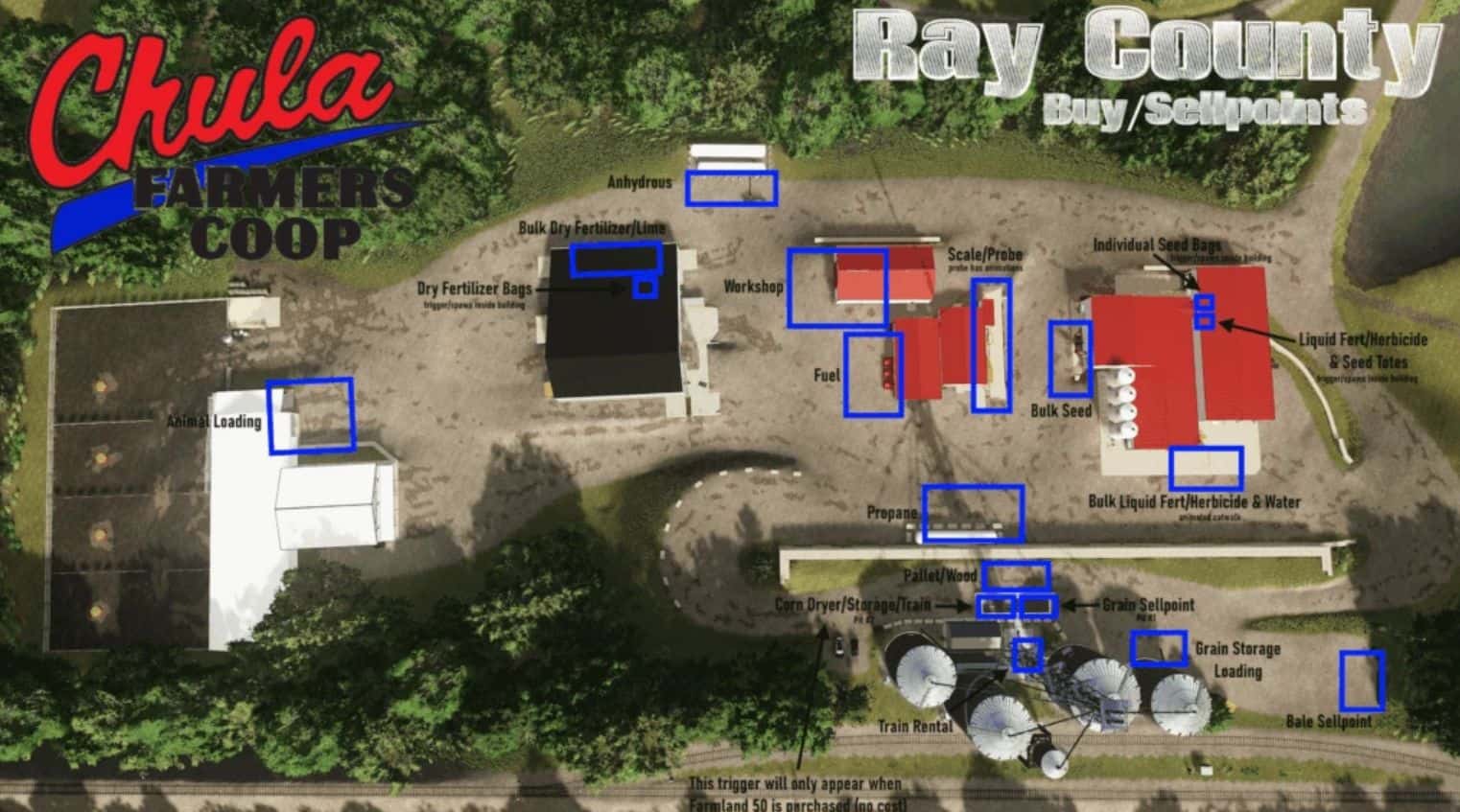
– Custom COOP buildings accurately based off of a cooperative in Chula, Missouri (must purchase farmland 50 to have access to COOP features)
– Animated moisture probe on the scales
– Ability to purchase bulk seed, seed totes, or individual seed bags
– Ability to purchase bulk liquid fertilizer/herbicide or totes
– Ability to purchase individual bags of mineral feed
– Animated catwalk for bulk liquid fill
– Ability to purchase dry fertilizer in bulk or large bags
– Ability to dry corn, store grain, sell grain outright, or sell grain by rail
– Livestock market with building based off of one in Unionville, Missouri
– Can also purchase propane, NH3, Starter fertilizer, UAN fertilizers, and fuel
– Please refer to all infographics for information on functionality and triggers
– Custom pig feed that gives you flexibility on what you use for feed
– Animated water in crossings
– Seasonal static deer, turkey, and hunting blinds that may appear at anytime
– Far more accurate land prices, commodity prices, yields and usages. Set your economic difficulty to “hard” for the most realistic numbers
Credits:
No Creek Farms


