

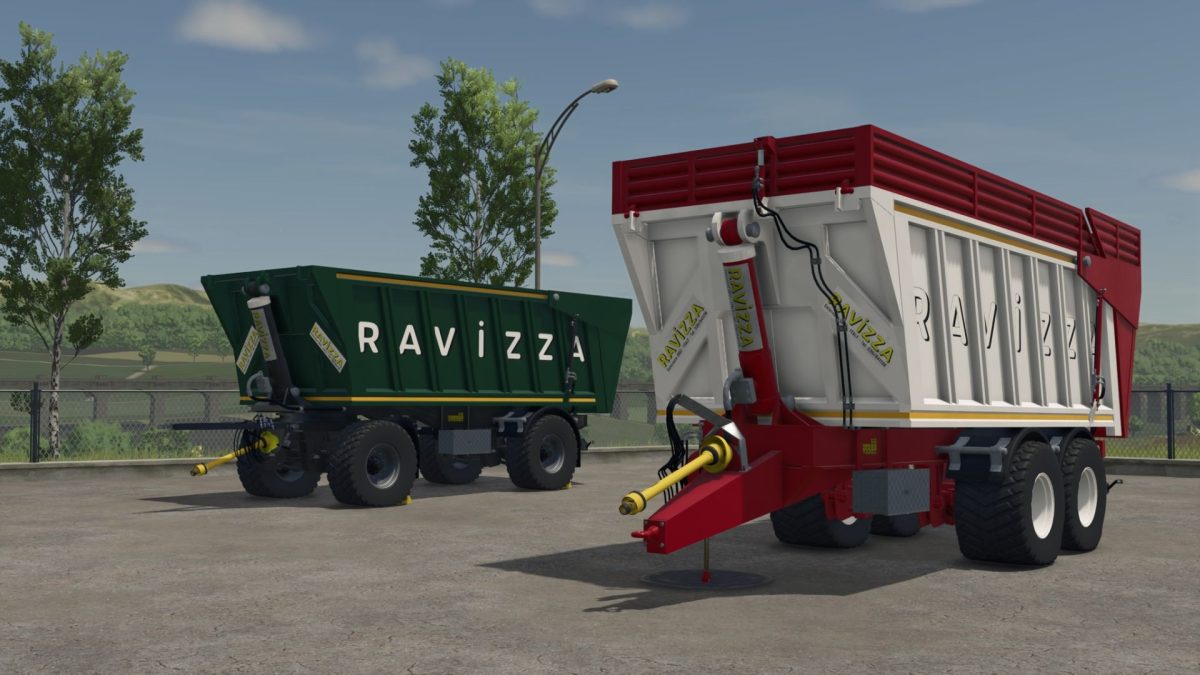
Ravizza Eurocargo Trailers Pack v 1.0


The Ravizza Eurocargo Trailers Pack v 1.0 introduces a collection of vintage Italian trailers designed to enhance your Farming Simulator 25 experience.
This pack features various trailer configurations, including a 2 axle tandem, 2 axle standard, and a 3 axle version, each crafted to provide versatility for all your transport needs on the farm.
The trailers come in a multicolor design, adding a touch of variety to your fleet.
With a range of capacities to choose from—19,000; 21,000; 22,500; 30,000; 32,000; and 35,000 liters you can select the best option that suits your hauling requirements, whether it’s for crops, livestock, or equipment.
– Collection of Italian trailers
– 2 axle tandem, 2 axle standard, and 3 axle configurations
– Multicolor design
– Capacities: 19,000; 21,000; 22,500; 30,000; 32,000; 35,000 liters
Credits:
Vitali&co


