


Quick Camera v 1.0


NOTE: PLEASE REMEMBER TO ADJUST YOUR INPUT KEYS.
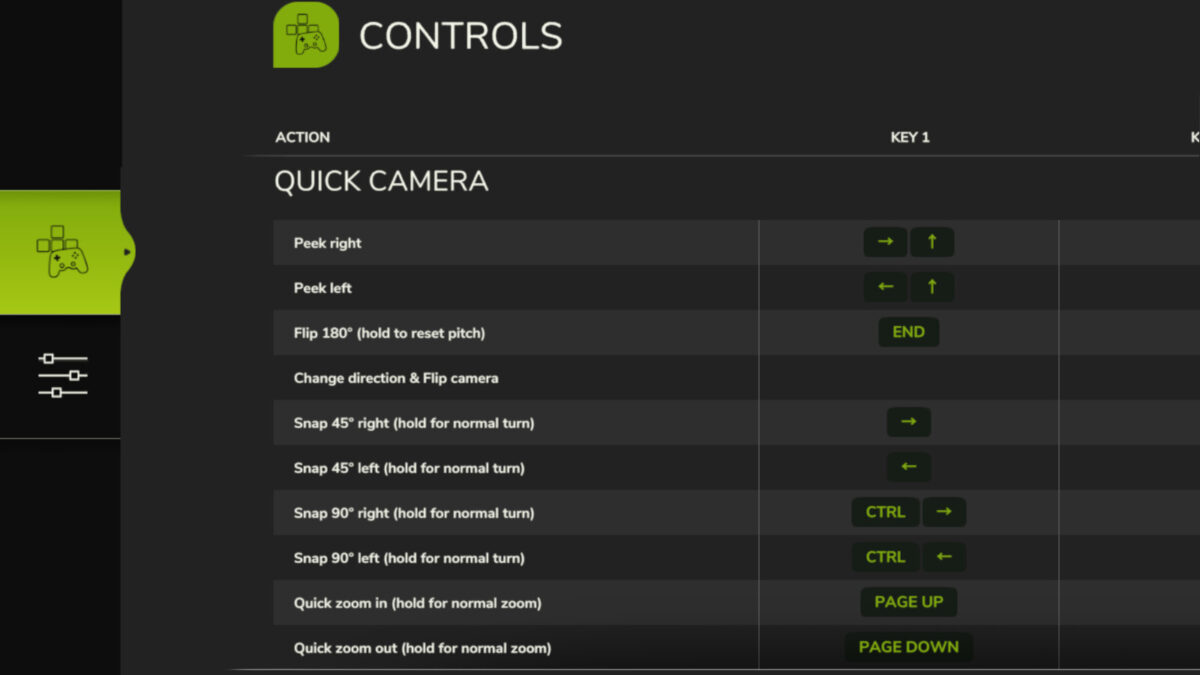
With this Quick Camera mod for FS25, you can use keys to make the vehicle camera:
– Peek left/right
– Flip 180° to quickly look behind/forward (incl. separate option to use with ‘Change Direction’)
– Snap 45°/90° left/right
– Zoom in/out quickly
IMPORTANT INSTRUCTIONS:
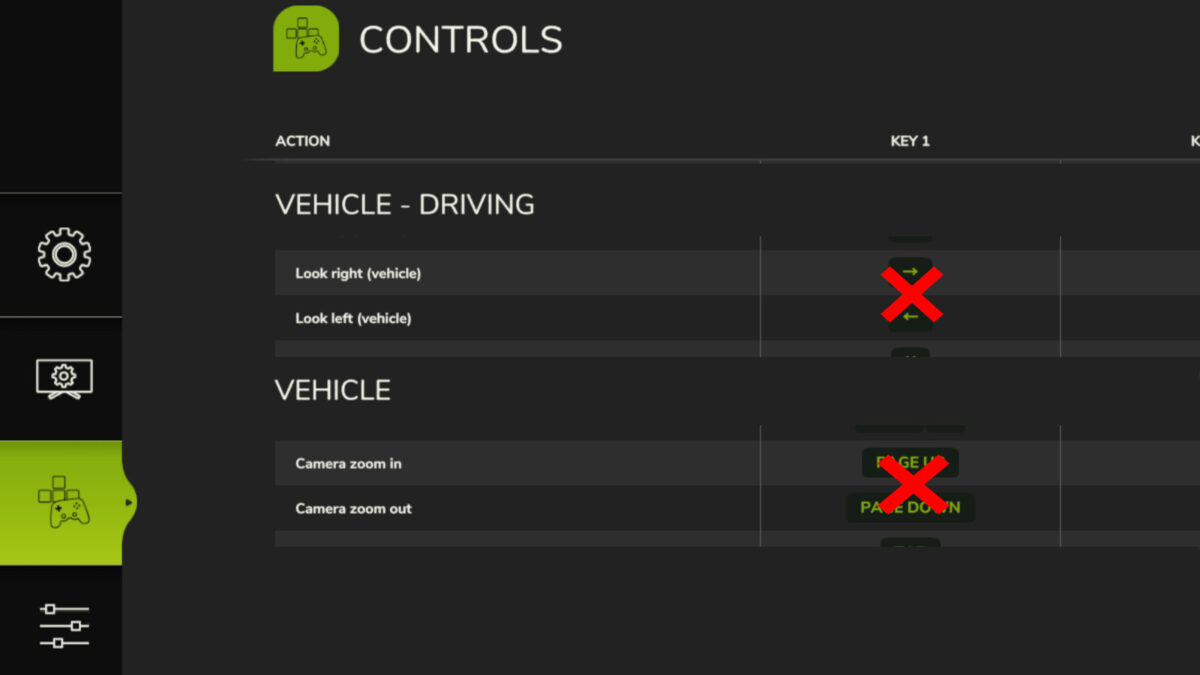
For best usage of this Quick Camera mod, you must delete, remove or unbind any existing keys of the following basegame’s control actions, to avoid overlapping keys for similar actions:
– Look left
– Look right
– Camera zoom in
– Camera zoom out
– Change Direction (only if using same key for Quick Camera’s “Change direction & Flip camera”)
Then also rebind the control action keys for Quick Camera, in case they seem wrong for your style of play.
If you observe problems with this Quick Camera mod’s actions, then please verify that you have followed the instruction above.
Credits:
Decker_MMIV


