
FS25 Misc

Pure Mechanic System v 1.0 BETA 2

Pure Mechanic System v 1.0 BETA 2

Mechanic, maintenance, inspection and workshop system for Farming Simulator 25.
Includes workshop inspection, fault report, maintenance, general repair and single-part repair.
Some repairs require workshop access and the correct part inside the workshop area.

Keys:
K – to inspect (need to be very close to vehicles or implements)
J – Open tablet, where you can buy itens or make the field maintenance

Multiplayer wouldn’t work 100%

Version 1.0 BETA 2:
* New Translations: Es, Ru, Fr, Pl, Nl
* Fix Interactive Controls
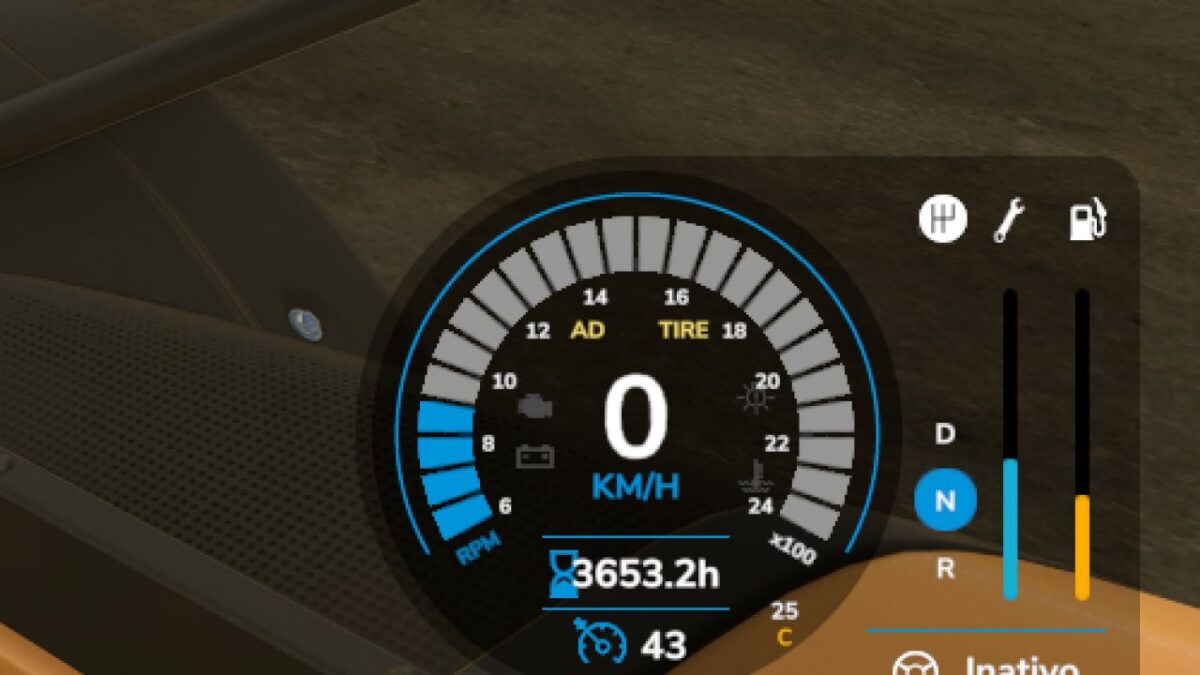
* New Speedmeter Hud (Tire) when you have tire problems
* Fix Scale bugs
* Dirt now cause machinery problems (its slow but after some days will starting apply damage for example air filter)

Credits:

nordikviking

How to install FS25 Misc?
Firstly find a mod which you like and want to download. Then download a mod to your PC. Mods are usually in .zip format file. But sometimes it can be in .rar. If a mod file is a .zip format no needed additional actions. If a file is in .rar, then you must unarchive mod with software like WinRar or Zip7. Windows 10 users no need to use software for archives, Win10 itself has a feature to unarchive files.
The next step is to find mods folder in your PC. Usually, it is in Documents/My Games/Farming Simulator 25/2025. Open the "mods" folder and put downloaded .zip archive or unarchived .rar file to this folder.
Last step. Enjoy of FS25 mods!

Leave a Reply

Your email address will not be published. Required fields are marked *