

Productions Contracts v 1.3


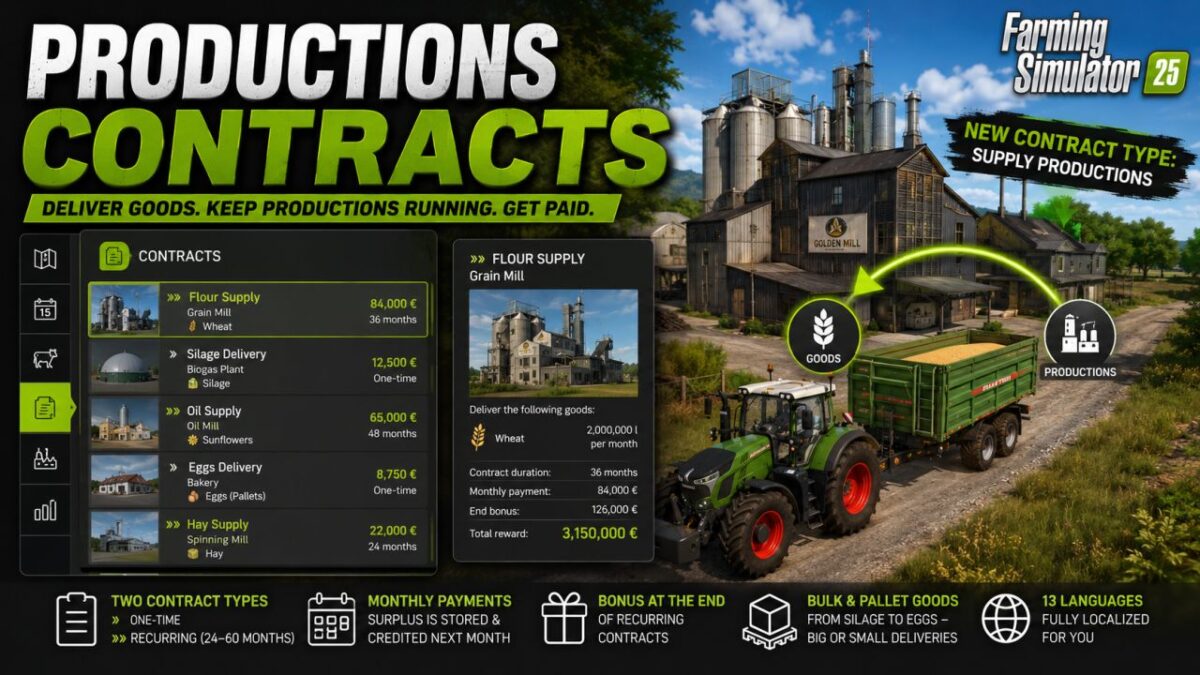
Production Supply Contracts adds a new type of contract to the contract menu: Instead of processing fields,
you deliver goods to the productions on your map (mills, oil mill, bakery, biogas plant, spinning mill and many more).
There are two types of contracts:
Individual contracts (marked » a one-time delivery of a specific quantity.
Recurring contracts (marked »») are a monthly payment over 24–60 months, with monthly billing and a bonus at the end of the contract.
The quantities depend on the value of the goods and what is realistically available – inexpensive bulk goods like silage,
grass, or hay in large quantities, expensive goods in correspondingly smaller quantities.
Palletized goods (e.g., eggs) are also included, either as a small single delivery or as a recurring order for several pallets per month.
Once the monthly quota is reached, the surplus is stored and credited in the following month.
The missions appear normally in the contract menu, with a map marker indicating the destination, the reward, and all the details. You can recognize them at a glance
by the »- or – marker in the title.»»
Available in 13 languages.
Version 1.3:
* Silo filling fixed
* New contracts with organic farming
* Lod entries hidden
Credits:
Bio Farmer Many


