

Production Info Hud v 1.5


HUD display for productions that need attention.
The current version has the following possibilities:
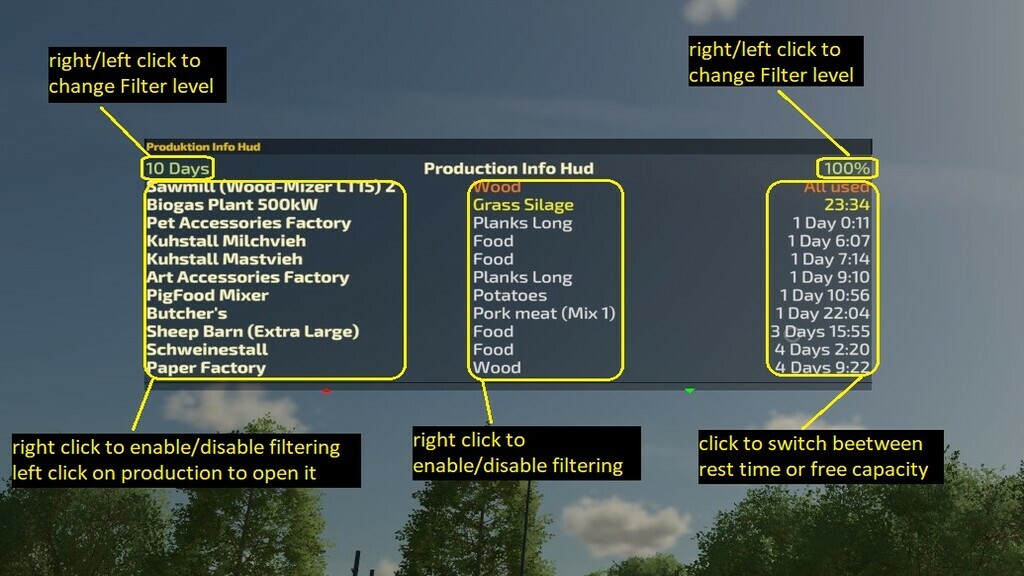
– Display of active productions and animal sheds with their remaining time per resource. Including the animal sheds for feed, water and straw. Revamp Mix is also displayed as such.
– A production is only displayed if…
— it has less than 2 days remaining runtime (Configurable).
— it has less than 50% fill level. (Except for Revamp Mix inputs, where this is ignored).
— The production line is activated.
– The display is sorted by remaining runtime, whichever runs empty or is empty first is at the top.
– Productions that are full are still above. These are displayed from a fill level of 95% so that they can be run down before the production comes to a stop.
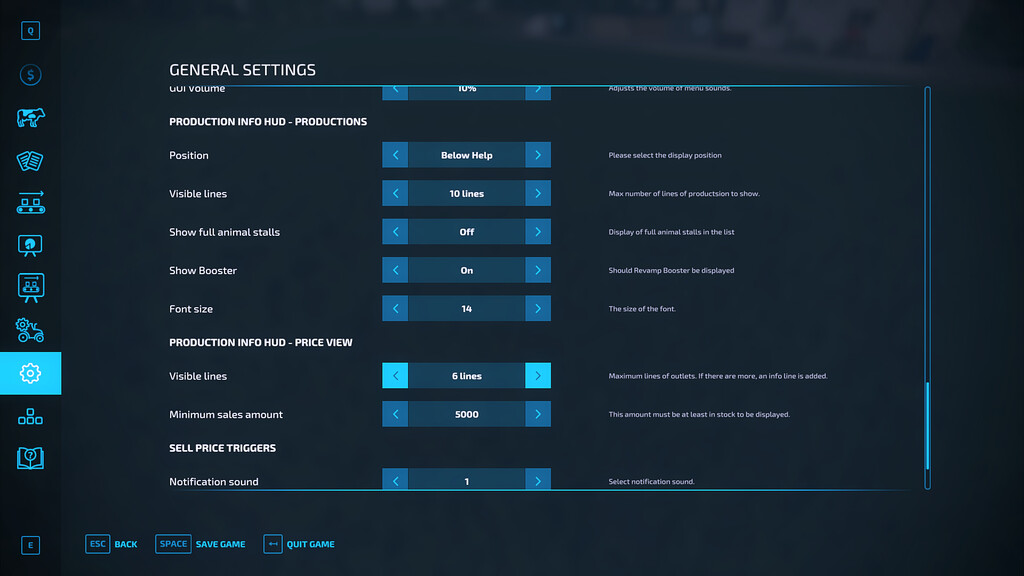
– Full animal houses can be switched off in the options.
– How many productions are displayed can be set in the options.
– The font size is adjustable.
– The position can be set to top centre, under F1 menu or under Vehicle Inspector Mod display.
– Input Filltypes can be deactivated for display in the productions. Useful for Revamp Boosters that are not to be delivered.
– Revamp boosters can also be completely deactivated in the settings.
– The list is updated every 5 seconds.
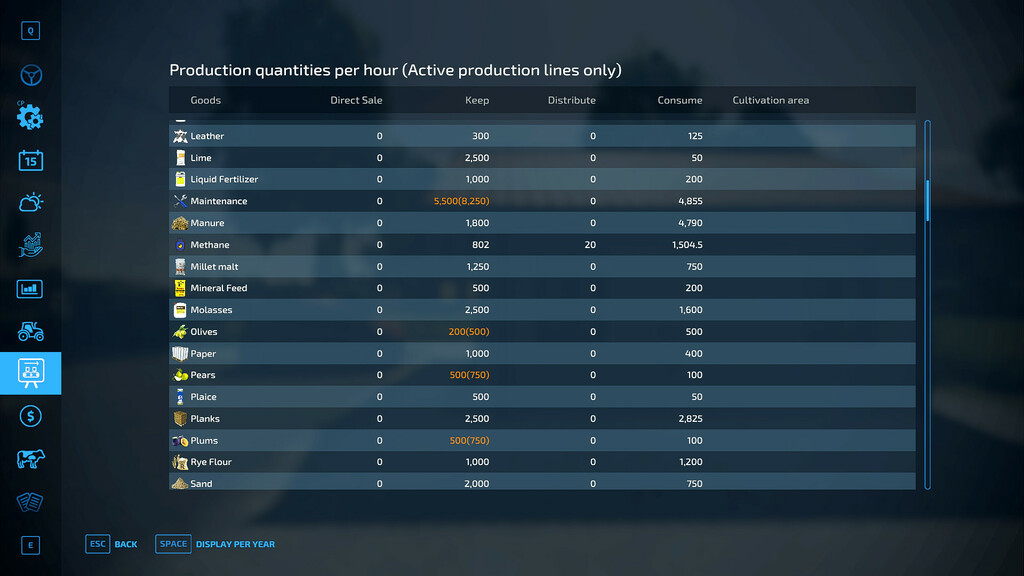
Production overview:
– This shows all fill types and how much of them is needed.
– The overview can be switched to per year, month or hour.
– The yearly view shows the estimated acreage needed for crops (without PF or bonuses).
Sales help:
– If the sales price trigger mod is installed, it is displayed if the price is good and the products are available for sale. The following applies here:
— A sales price must be set in the sales price trigger and this must be exceeded.
— The quantity selected in the options must be available in a silo or production (no animal sheds).
– The display shows what can be fetched from where and sold to where.
MultiOverlayV4 Hud Help:
– Right click on production name and/or filltype filters the list to the clicked one
– right click on remaining time switches to display of free capacity
– Left click on the production name opens the production in the menu (only for productions)
Version 1.5:
* Adjustments for Revamp 1.5
* More mix groups are now displayed correctly
* Feed Mixer remaining time not possible due to constantly recalculated composition. Therefore it is only displayed empty or (almost) full
* Calculations for TerraLife+ adjusted
* Number of days to be displayed is now adjustable
* Calculation error on server corrected
* Calculations for split production lines improved
* Animal feed remaining times calculation completely revised and these are now summarized if they are within one hour
Credits:
Achimobil


