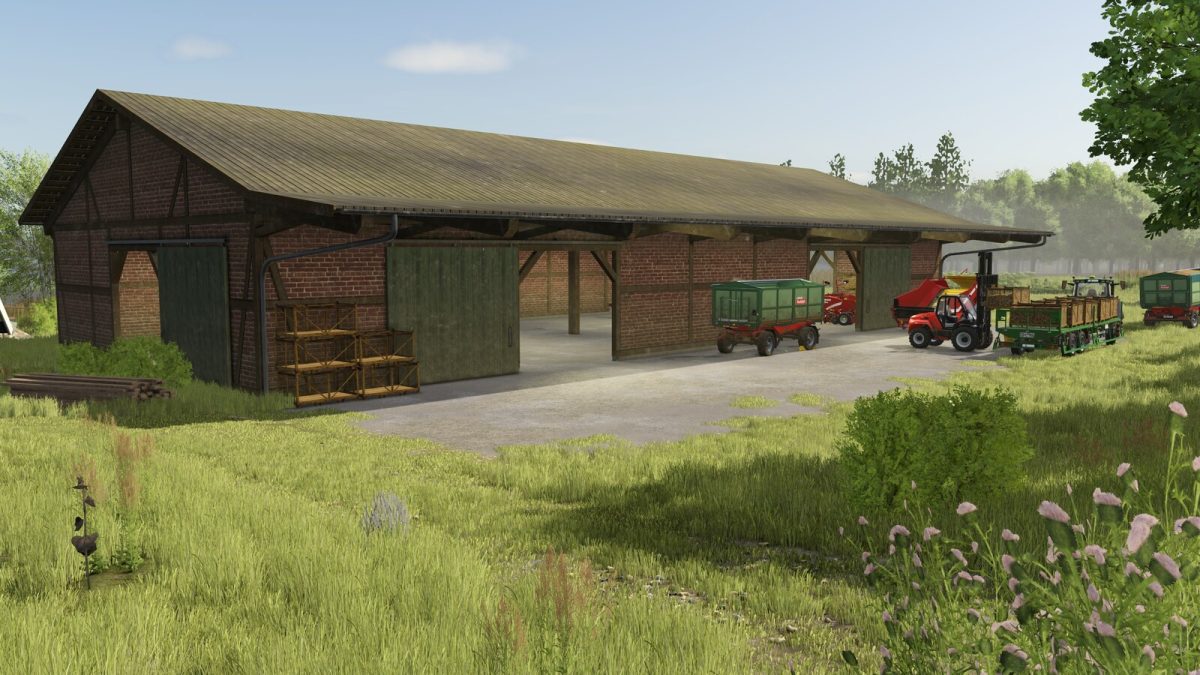
Potato Hall Pack v 1.0


A half-timbered potato hall in north German architectural style.
The pack contains a total of 7 variations of the hall, each with different door arrangements and bulk storage bunkers.
There are also versions without bunkers that offer enough space to store vehicles and equipment.
The interior and exterior lighting can be turned on and off individually using the two light switches.
Potatohall – Bunkers left, 3 Doors
Category: Sheds
Price: $95,000
Daily upkeep: $75
Potatohall – Bunkers left, 2 Doors
Category: Sheds
Price: $95,000
Daily upkeep: $75
Potatohall – Bunkers right, 3 Doors
Category: Sheds
Price: $95,000
Daily upkeep: $75
Potatohall – Bunkers left and right, 2 Doors
Category: Sheds
Price: $95,000
Daily upkeep: $75
Potatohall – No Bunkers, 3 Doors
Category: Sheds
Price: $95,000
Daily upkeep: $75
Potatohall – No Bunkers, 4 Doors, Variant 1
Category: Sheds
Price: $95,000
Daily upkeep: $75
Potatohall – No Bunkers, 4 Doors, Variant 2
Category: Sheds
Price: $95,000
Daily upkeep: $75
Credits:
AgrarKadabra, Plugz