

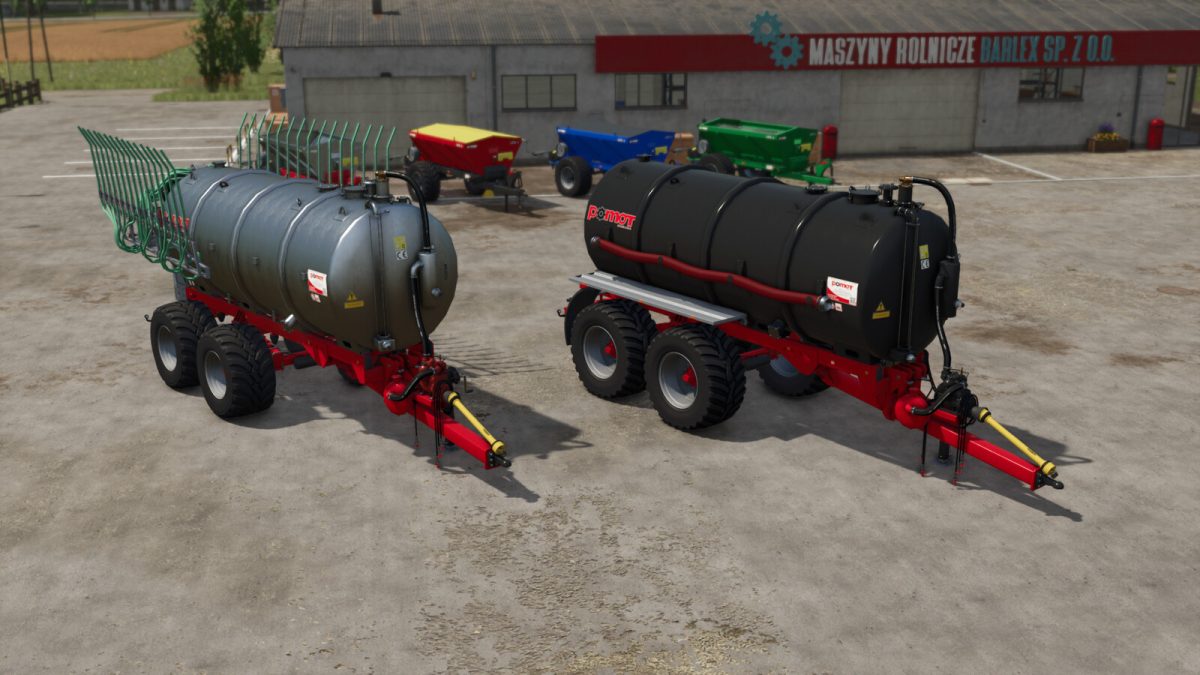
Pomot T550 + AWW-9 v 1.0.0.1


Pomot T550 is a slurry tanker with a capacity of 18,000 litres from Polish manufacturer Pomot Chojna.
The T 550 series is a cart with a strong frame construction ideally suited to work with aggregates.
Working with these vehicles is a pleasure. They are ideal for large farms where efficient slurry application is important.
[T550]
-Price: 54,100 $
-Working width: 14m
-Capacity: 18,000 L
-Power requirement: 180hp
[T550 + AWW-9]
-Price: 61,100 $
-Working width: 9,4m
-Capacity: 18,000 L
-Power requirement: 180hp
[Equipment configurations]
-Fenders
-Hooks and tube
-Turbo filler
-Wheels
[Colour configurations]
-Tank colour
-Chassis colour
-Frame colour
-Pump colour
-Pipe colour
-Rim colour
Version 1.0.0.1:
* Console release
* Improved visibility of glass elements (fill indicator)
Credits:
JMZ


