
FS25 Forage Trailers

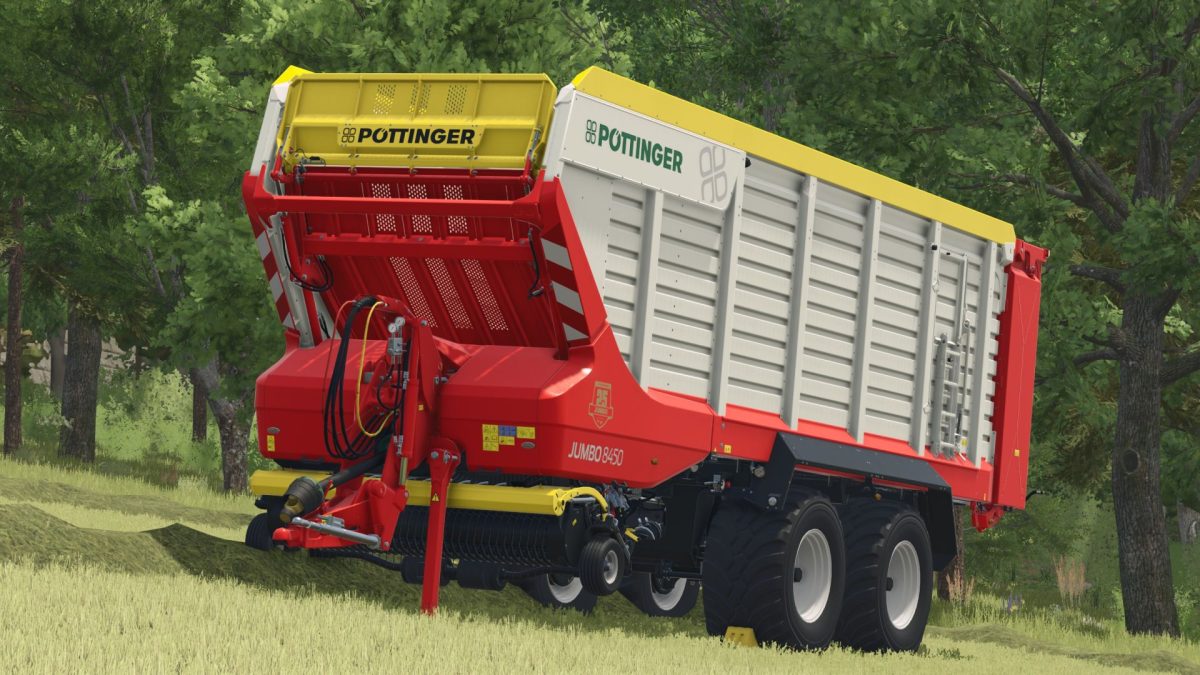
Poettinger Jumbo 8450 DB+ v1.0.0.4

Poettinger Jumbo 8450 DB+ v1.0.0.4

2 versions included in the mod: Standard and Physics
Increased load visually only when cover is NOT selected
Various pictures for the back wall
2 variants in RUL
2 LU logos to choose from (REIFF.lu/BLUNK)
Additional light in the cargo area
Adjusting headlights at night (range, beam and alignment)
Colors Configuration
Discharge speed adjusted (standard slightly less, physics version realistic)
Physics adjustment: (not for standard, only for physics version in the shop)
Springs and dampers (chassis) adjusted
Center of gravity increased

Version 1.0.0.4:
* Change: Both versions now always have the great filling (optically) and the cover was adapted to it

Credits:

Finanzamt31er, WorldoFarming, ToBe und team
How to install FS25 Forage Trailers?
Firstly find a mod which you like and want to download. Then download a mod to your PC. Mods are usually in .zip format file. But sometimes it can be in .rar. If a mod file is a .zip format no needed additional actions. If a file is in .rar, then you must unarchive mod with software like WinRar or Zip7. Windows 10 users no need to use software for archives, Win10 itself has a feature to unarchive files.
The next step is to find mods folder in your PC. Usually, it is in Documents/My Games/Farming Simulator 25/2025. Open the "mods" folder and put downloaded .zip archive or unarchived .rar file to this folder.
Last step. Enjoy of FS25 mods!

Leave a Reply

Your email address will not be published. Required fields are marked *