
FS25 Balers

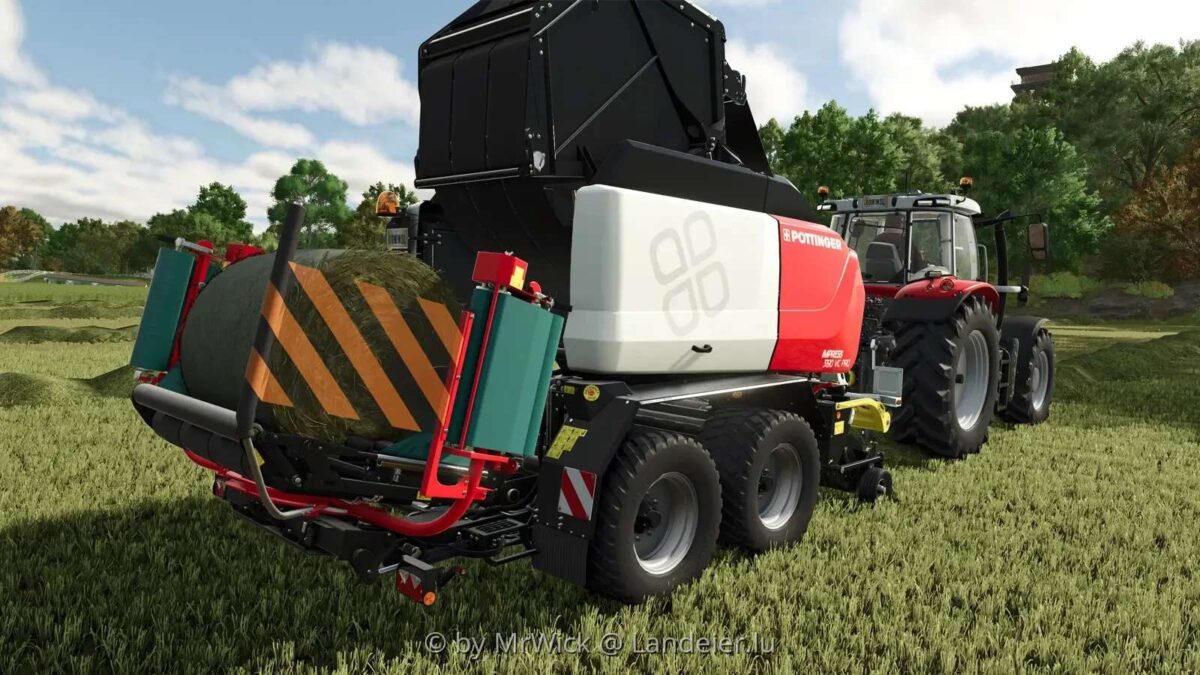
Poettinger Impress 3190 VC Pro LE Edition v 3.0

Poettinger Impress 3190 VC Pro LE Edition v 3.0

The Pöttinger Impress 3190 VC Pro LE Edition v 3.0 is a notable addition for Farming Simulator enthusiasts. Based on the popular model from the Modhub, this version features a unique Landeier edition design. It incorporates an advanced pre-press chamber that enhances operational efficiency, allowing for improved performance during use. This mod promises to enrich the gameplay experience by offering innovative features, with the potential for further updates in future versions. Farmers looking to optimize their baling operations may find this mod particularly useful.

Version 3.0:
* Silage tank added, as the function is now available
* The pickup arm (yellow) is now also animated

Credits:

MrWick

How to install FS25 Balers?
Firstly find a mod which you like and want to download. Then download a mod to your PC. Mods are usually in .zip format file. But sometimes it can be in .rar. If a mod file is a .zip format no needed additional actions. If a file is in .rar, then you must unarchive mod with software like WinRar or Zip7. Windows 10 users no need to use software for archives, Win10 itself has a feature to unarchive files.
The next step is to find mods folder in your PC. Usually, it is in Documents/My Games/Farming Simulator 25/2025. Open the "mods" folder and put downloaded .zip archive or unarchived .rar file to this folder.
Last step. Enjoy of FS25 mods!

Leave a Reply

Your email address will not be published. Required fields are marked *