
FS25 Buildings

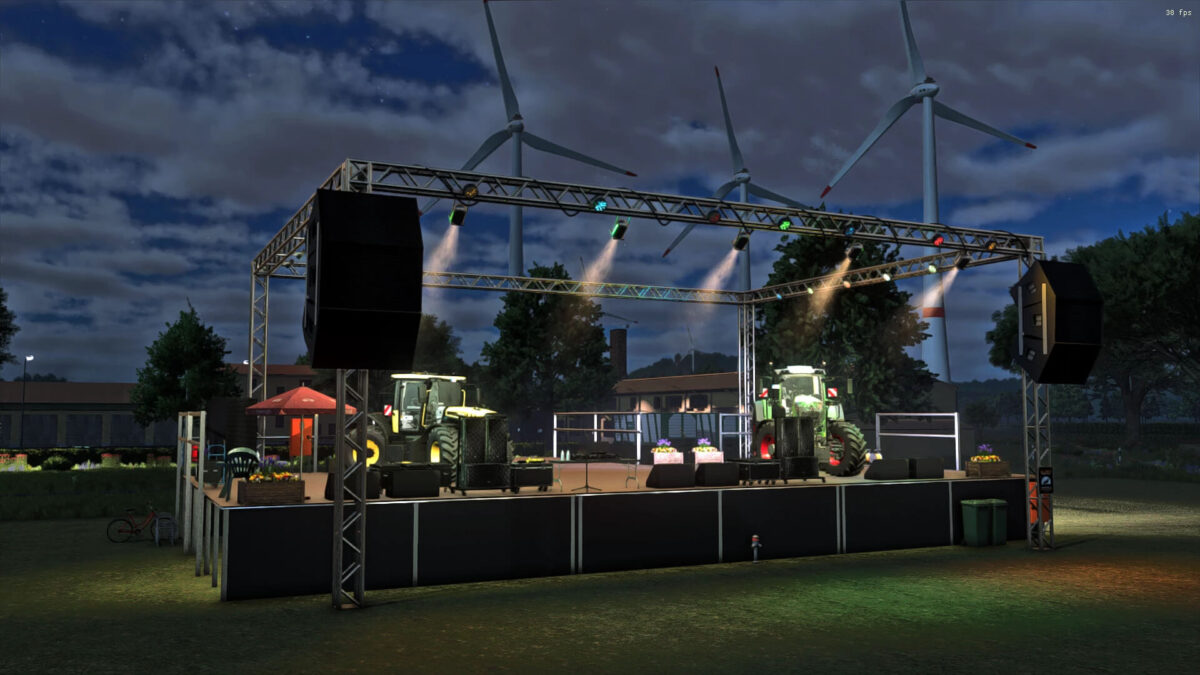
Placeable Stage Pack with Light and Sound Show v 1.1

Placeable Stage Pack with Light and Sound Show v 1.1

This package contains the stage and the following functions:
* A large stage
* A broom (from the main game as decoration) with a slight visual update
* A watering can (from the main game as decoration) with a slight visual update
* Stage lighting works with a mouse click
* A city hydrant where you can get cheap water
* A hydraulic vehicle lift that takes you to the stage (new)
* Stage with lots of small functions to click on

Version 1.1:
* A grid function for placing some objects has been added to the rotation
* Two more new icons have been added

Credits:

DJ Wolf, Landbauer

How to install FS25 Buildings?
Firstly find a mod which you like and want to download. Then download a mod to your PC. Mods are usually in .zip format file. But sometimes it can be in .rar. If a mod file is a .zip format no needed additional actions. If a file is in .rar, then you must unarchive mod with software like WinRar or Zip7. Windows 10 users no need to use software for archives, Win10 itself has a feature to unarchive files.
The next step is to find mods folder in your PC. Usually, it is in Documents/My Games/Farming Simulator 25/2025. Open the "mods" folder and put downloaded .zip archive or unarchived .rar file to this folder.
Last step. Enjoy of FS25 mods!

Leave a Reply

Your email address will not be published. Required fields are marked *