Placeable Old Rusty Sheds v 1.0


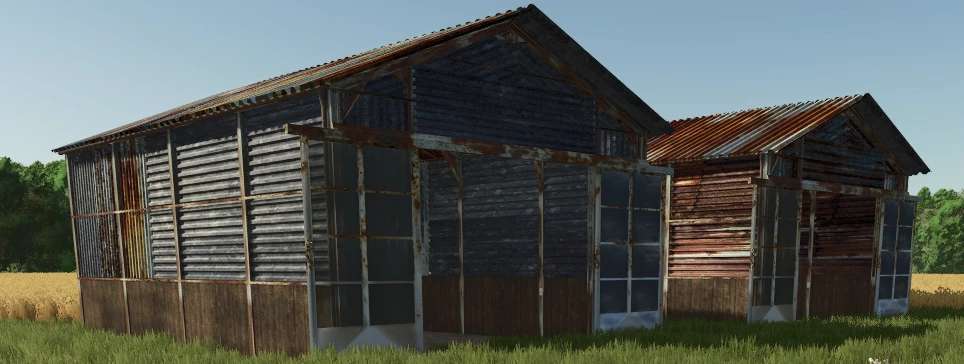
Placeable Old Rusty Sheds is a mod designed for Farming Simulator 25 that allows players to enhance their in-game environments with unique rustic structures.
These sheds are crafted to offer a visually appealing yet weathered look, perfect for players seeking to create an authentic farming atmosphere.
The mod includes a selection of different shed sizes and designs, enabling users to choose the best fit for their farm layout or aesthetic preferences.
These sheds can be placed anywhere on the farming map, providing versatility and convenience for storage or decorative purposes.
They reflect the charm of old farming equipment storage while serving functional roles in your gameplay.
Players can easily adjust the placement of the sheds to integrate them seamlessly into their farming operations.
– Multiple designs and sizes available
– Placeable anywhere on the map
– Rusty and weathered aesthetic
– Enhances visual appearance of the farm
– Functional storage options
Credits:
MrFarmTastic13