
FS22 Misc

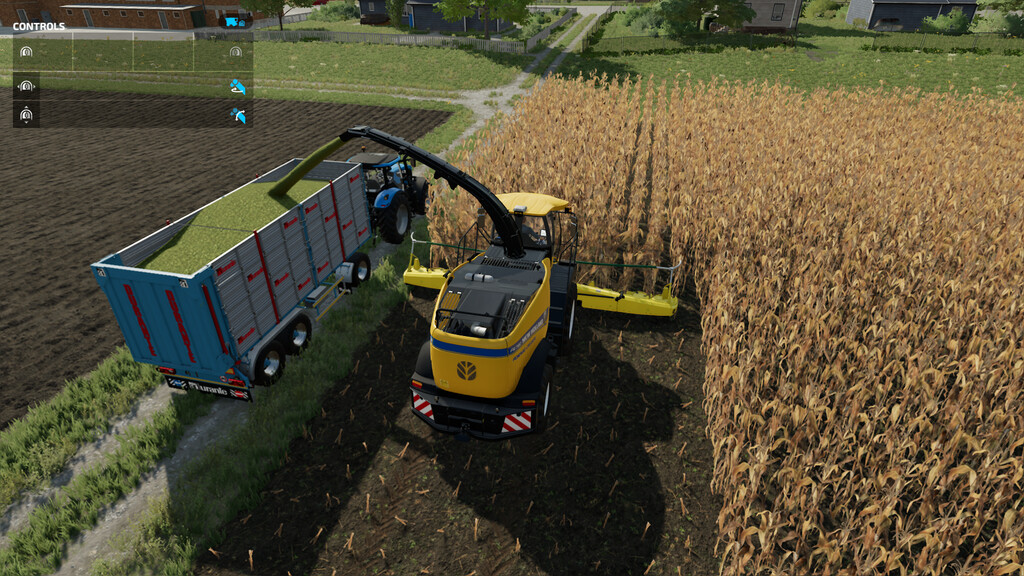
Pipe Control for Forage Harvesters v 1.4

Pipe Control for Forage Harvesters v 1.4

Added the ability to control the pipe when you enter to the harvester and the harvester is used manually, you can change the position of the pipe.

Claas Jaguar 960 Terra Trac
Claas Jaguar 980
Fendt Katana 650
John Deere 9000 Series
New Holland FR 780
Krone BiG X 580
Krone BiG X 1180

Version 1.4:
* Added new configuration for manual control the rotation of the last part of the pipe

Credits:

DD ModPassion

How to install FS22 Misc?
Firstly find a mod which you like and want to download. Then download a mod to your PC. Mods are usually in .zip format file. But sometimes it can be in .rar. If a mod file is a .zip format no needed additional actions. If a file is in .rar, then you must unarchive mod with software like WinRar or Zip7. Windows 10 users no need to use software for archives, Win10 itself has a feature to unarchive files.
The next step is to find mods folder in your PC. Usually, it is in Documents/My Games/Farming Simulator 25/2025. Open the "mods" folder and put downloaded .zip archive or unarchived .rar file to this folder.
Last step. Enjoy of FS25 mods!

Leave a Reply

Your email address will not be published. Required fields are marked *