

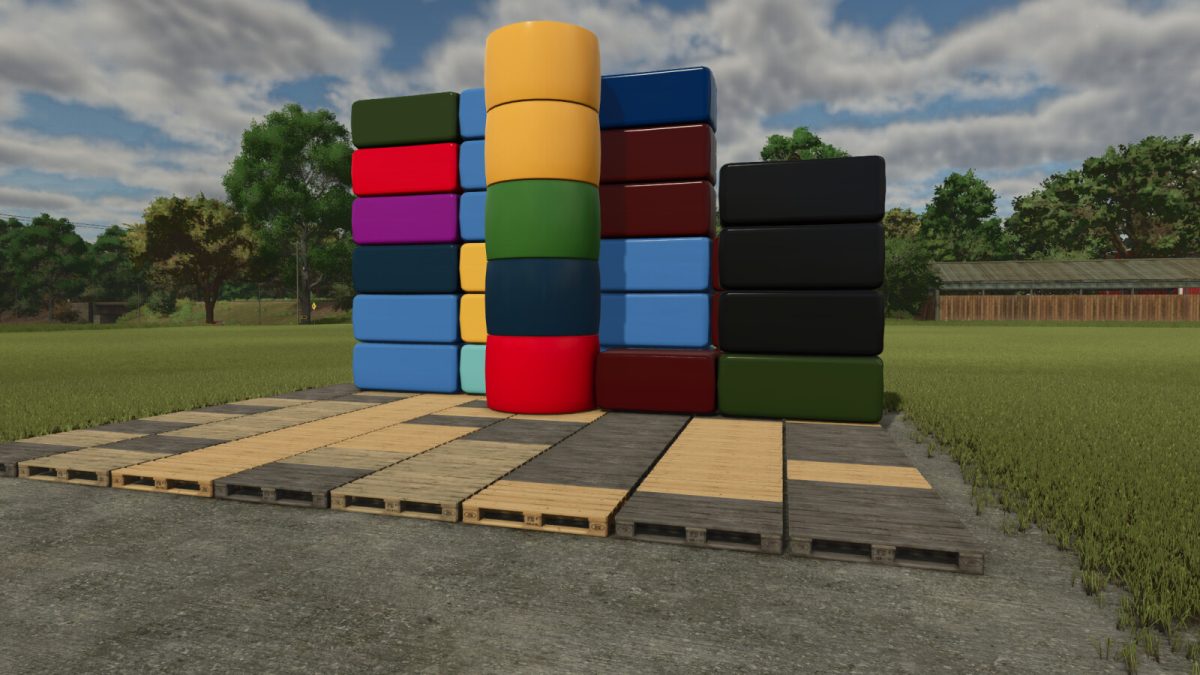
Persistent Wrap Colors v 1.1.2


Ever wondered why all your wrapped bales in Object Storage turn into the same plain equal color?
This mod makes sure every bale keeps its original wrap color – exactly as you made it.
Just like in the field:
– black bales stay black
– pink bales stay pink
– yellow, blue, red, green… all remain visible
No more confusion about which silage is which. Each bale retains its unique wrap color while stored, and shows correctly when taken back out again.
Works globally with all Object Storages using GIANTS Object Storage.
Also supports modded storages that use the same specialization.
Pure script implementation – lightweight, hardly any performance impact (even with very large numbers of bales)
PC only, because it is a script mod.
Version 1.1.2:
* Fixed Compatibility with other storage mods
Credits:
CrankyAnt


