

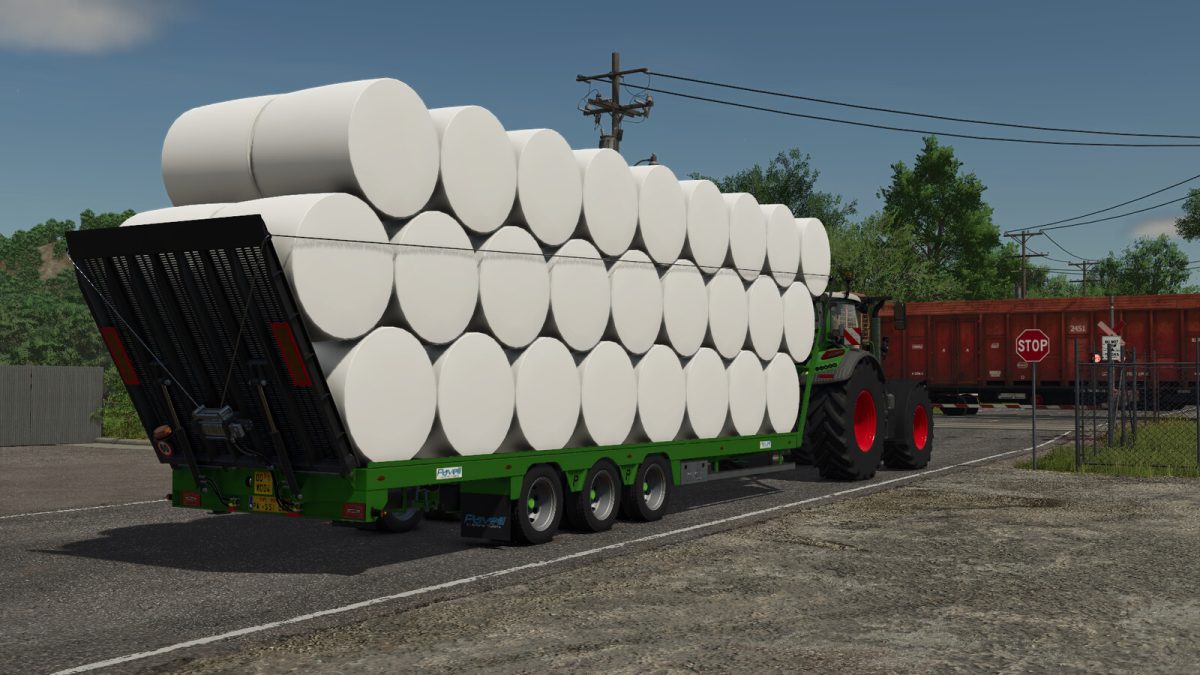
Pavelli RAT Pack v 1.0.0.3


Model name: RAT200
Category: Baleloaders and Low Loaders
Price: $30.000
Capacity: 24,000 l
Automatic loading:
52 round bales of 1.25 m not in stack
42 round bales of 1.50 m not in stack
38 round bales of 1.80 m not in stack
320 small square bales
32 square bales
24 big square bales
3 cotton round bales
2 cotton square bales
Trailer versions
– trailer with flat bed
– trailer for transporting timber
– trailer for transporting big bag pallets (different content for every pallet)
– tralier for transporting liquid tanks (different content for every tank)
– trailer for transporting pallet boxes (different content for every boxe)
Configurations
– wheel brands
– wheel sizes
– loading mode for bale
– trigger position for bale
– placeable bales in unload place
– advanced input command for placing the bales
– moving the bales into unloading and rotation position
– flatbed design
– rear lighting design
– worklight
– air hose type
– capacity
– beacon light type
– beacon light position
– tension belts
– type of license plate
– rim color
– license plate
Version 1.0.0.3:
* Added new trailer versions for transporting big bag pallets or liquid tank or pallet boxes
Credits:
DD ModPassion


