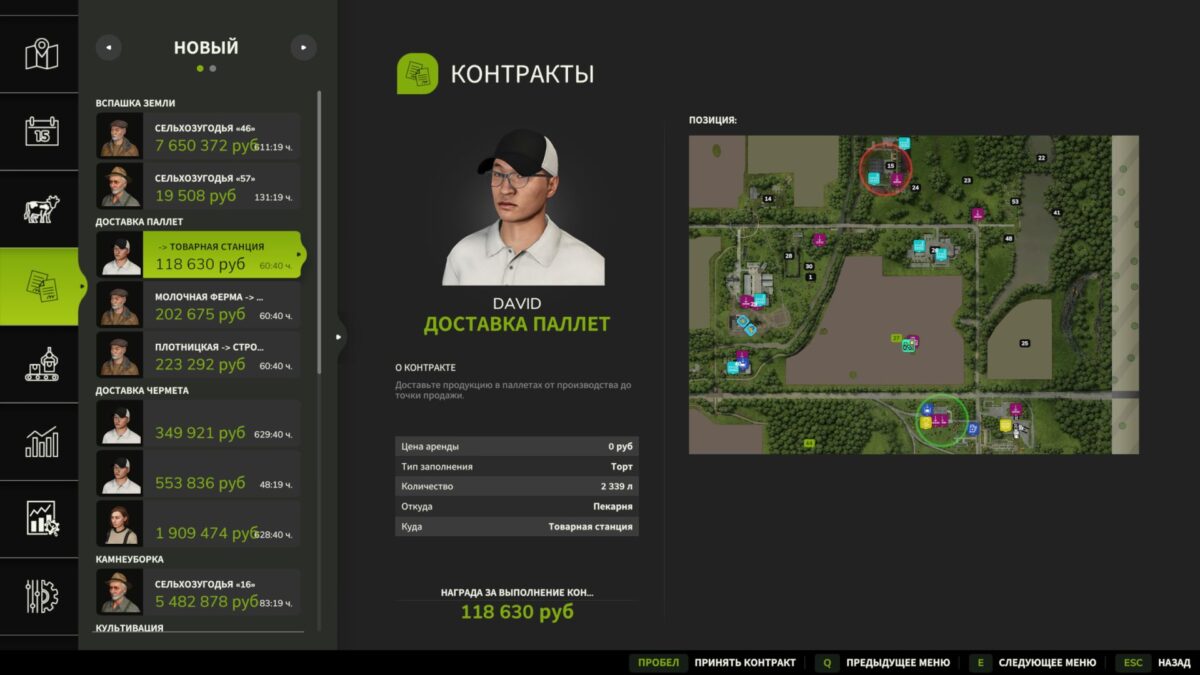
Pallet Delivery Contracts v 1.0


Pallet Delivery Contracts is a mod that adds a new type of contract for the delivery of palletized products to Farming Simulator 25.
Now tasks for transporting goods from production facilities to points of sale can automatically appear on the map. You will have to load pallets with finished products, deliver them to the specified location and receive a monetary reward for the successful completion of the contract.
Mod features:
– New type of contracts for pallet delivery.
– Automatic generation of tasks between production facilities and retail outlets.
Various order quantities:
Small contracts
Medium contracts
Large contracts
The reward depends on the volume of products transported.
Contracts have a time limit.
Support for most of the game’s production chains.
Automatic creation of the necessary pallets to complete the task.
Display of loading and unloading points on the map.
How does it work?
Open the contracts menu.
Find the Pallet Delivery task.
Accept the contract.
Pick up the pallets at the specified production facility.
Deliver the products to the designated point of sale.
Receive a reward after successful delivery.
Add more logistics to your farm and earn money by transporting finished products between factories and retail outlets!
Version 1.0:
* Added Italian translation from player FirenzeIT
* Rebalance of prices and required delivery volume
* Fixed a conflict with the BetterContract mod
Credits:
BMProd