

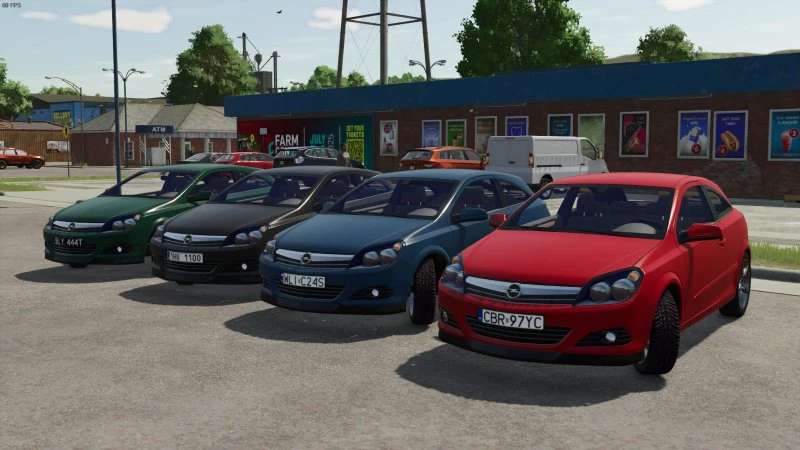
Opel Astra H GTC v 1.0


The Opel Astra H GTC mod for Farming Simulator 25 brings a familiar vehicle from previous versions into the current game. This mod is designed for players who enjoy having a variety of vehicles to drive around their farms and explore the map. It features working lights, which adds to the realism and functionality during night-time operations or low-visibility conditions.
Players will appreciate the inclusion of passenger capacity, allowing for in-game companions or helpers. The Opel Astra also comes with color configurations, enabling users to customize the vehicle to fit their personal style or farm aesthetic. The mod includes a distinctive horn sound that adds a fun element to driving.
In terms of functionality, the mod includes a working hook, allowing for additional uses, such as towing or transporting items. This makes it more than just a vehicle for driving; it can also assist in various farming tasks. Overall, this mod offers a blend of enjoyment and utility within the Farming Simulator 25 environment.
– Working lights
– Passenger capacity
– Color configurations
– Distinctive horn sound
– Working hook
– Fully playable and without errors
Credits:
wisniagames239


