

Notification Log v 1.0.1.0


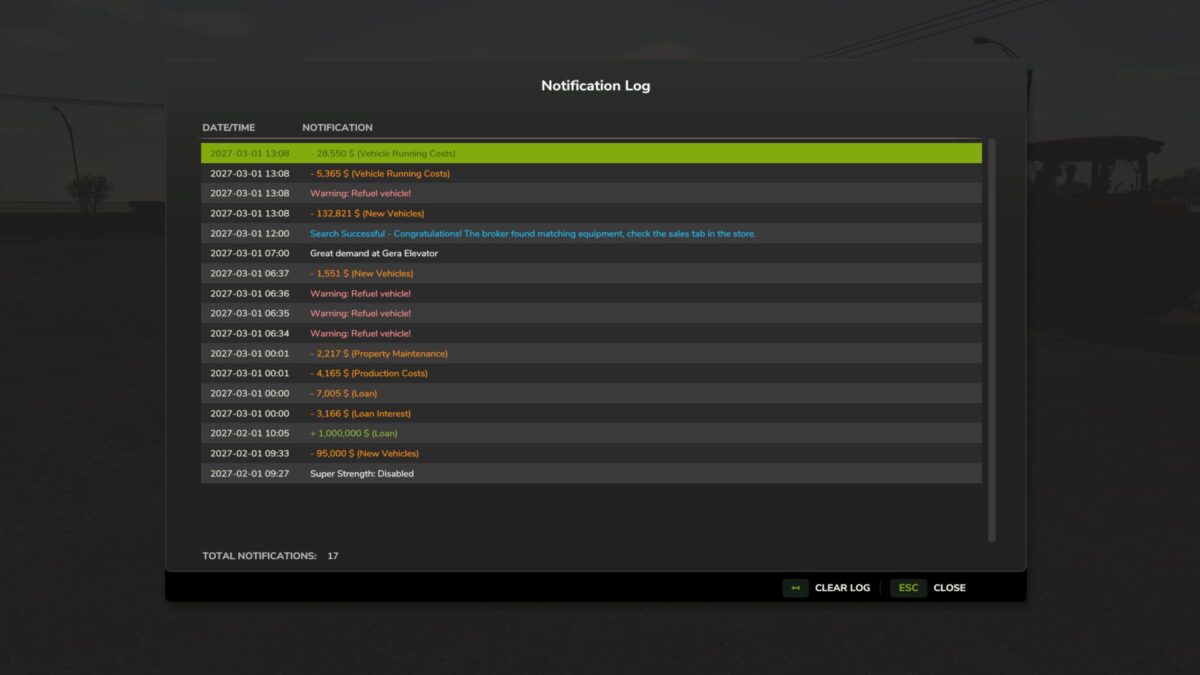
Did the notifications fly by too fast? Use the Notification log to see all notifications in the current session.
Default key binding is Right Shift + M to open the notification log interface. You can change this in the game settings under “Controls”.
Notification Logging: Automatically captures top notifications, side notifications, and blinking warnings
GUI Interface: View session notification history in a dialogue (accessible via Right Shift + M)
Notification Details: Displays the in-game date/time and notification content
Color Preservation: Maintains original notification colors for easy categorization
Warning Filtering: Blinking warnings are logged once per source and in-game minute to prevent spam
Clear Log: Remove all notifications with a single button
Version 1.0.1.0:
* Fix: game sometimes hung when ai worker reached 80% full
Credits:
rittermod


