


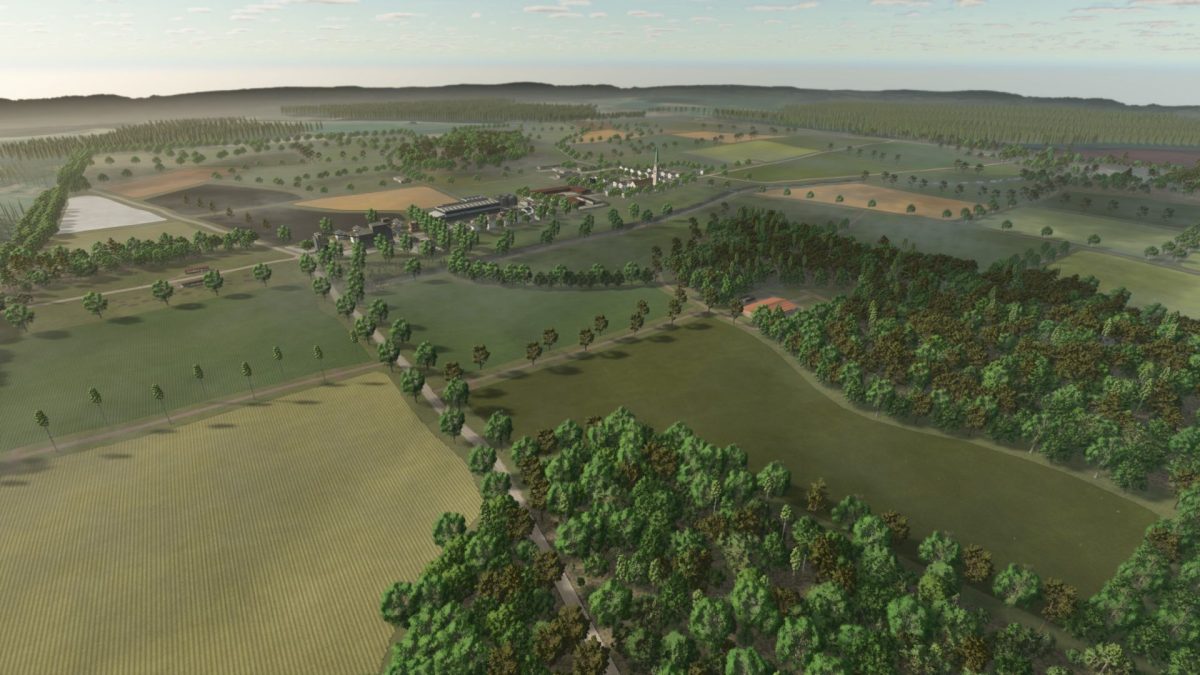
Nietwerder Map v 1.0.0.8


– The elevation model and the streets are based on the real model
– There are 51 fields, a farm that is divided into four parts and six further pastures that you can buy
– The BGA of Wuthenow is also built on but not in its correct position because otherwise it would no longer be on the map
– There is no sawmill and the forests cannot be bought or felled because the original area mainly focuses on cattle breeding and electricity production
– The farm is divided into four parts
– With the first part you buy the farmhouse, three vehicle sheds, a bale storage shed, a bed where you can grow vegetables, a tower silo for drying and ensiling grass (requires diesel), free-range chickens and the farm dog
– With the second part you buy another vehicle shed, a cowshed and the silo for storing your harvest
– With the third part you buy a vehicle shed, a workshop, a farm petrol station, two more bale and pallet storage areas, a small drive-in silo and my multi production area in which you can produce diesel, seeds, fertilizer, lime, liquid fertilizer, herbicides, compost, mineral feed, TMR and pig feed
– With the fourth part you buy four more cowsheds
– Spread across the map you will find two more cowsheds, two sheep/goat pastures, two chicken coops, a pigsty and a horse stable
– Almost all sales outlets and production facilities have gates with opening times
– Pay attention to the signs at the production facilities and sales outlets, otherwise you may find yourself standing in front of closed doors
– The train on the map currently serves as decoration due to ongoing issues with the driving ranch
– The train silo currently serves as a sales and purchasing station
– All production facilities, except for the tower silo and multi-production, require electricity to produce
Version 1.0.0.8:
* Adjustments for the Highland Fishing DLC
* Poppies expanded to eliminate distance errors caused by onions
* Highland cattle available
Credits:
Maxim von Graf


