

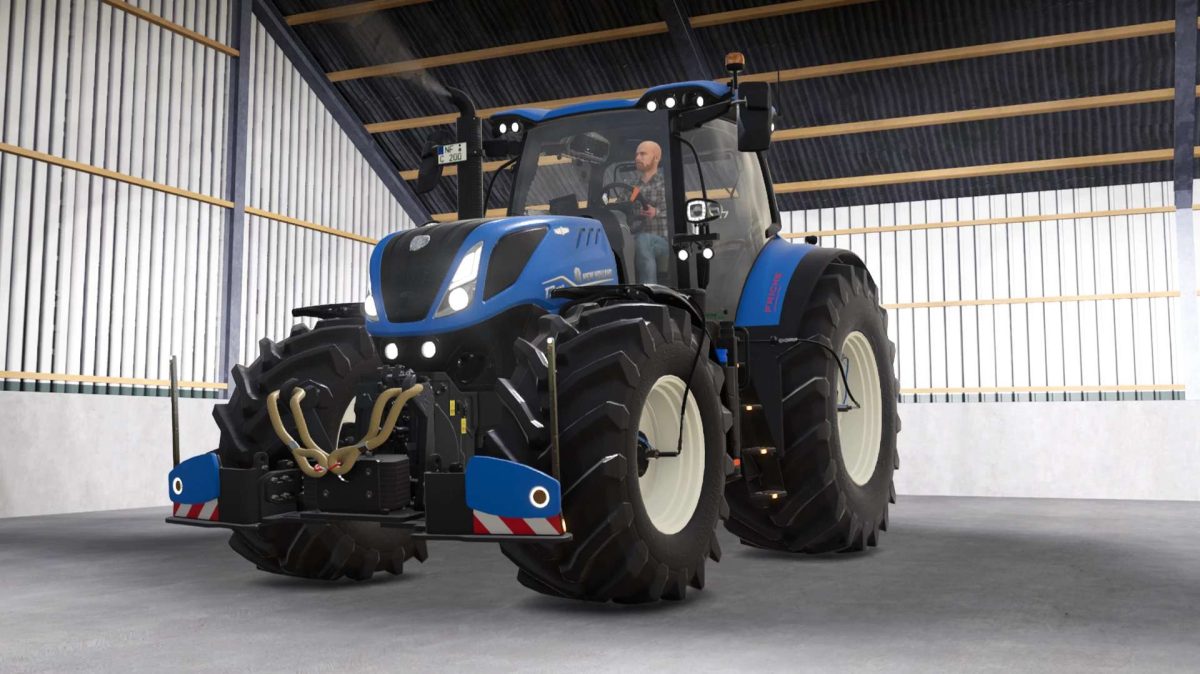
New Holland T7 LWB PLMI v 1.0.0.18


– Configurable main color
– Configurable wheel rim color
– Configurable wheel hub color
– Configurable interior color
– Configurable seat color
– Configurable rotating beacon variant
– Agribumper weight configurable from 400-1800 kg
– Agribumper color configurable
– RDA configurable (visual only)
– Interactive Control installed, including lift axle and manual attachment, etc.
– Lift axle installed
– Configurable entry light
– Configurable wheel weights (color and weight)
– New sound (FD sound from the Modhub. Whether it’s realistic is debatable, but I like it this way)
– CCI200 and PTG terminal installed
– Added passenger
– Adapted tubing
– Various decorations installed (Decals, rope, etc.)
– Isaria Pro Compact
Version 1.0.0.18:
* Fixed Glossy, Matte, and Metallic color options
Credits:
Chris CuxAgrar


