

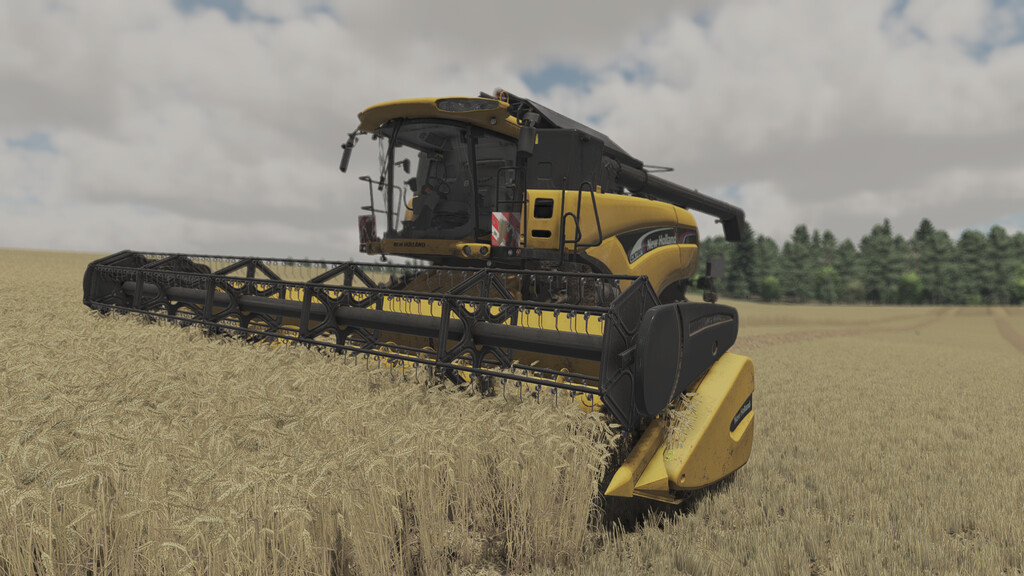
New Holland CX 7 & CX 8 v 1.0


Put a New Holland CX Super
Conventional combine in your fields
and move up to a new level of performance, convenience and comfort. What
makes a CX a SUPER conventional? In
short, CX combines have more threshing
capacity, more separating capacity, more
grain tank capacity and the fastest unloading rate than you’ll find on the market.
Price: 76,000$
Power: 218 hp – 272 hp
Max. speed: 25 kph
Max. header size: 9m
Capacity: 7,600L up to 11600L
Model year: 2001 – 2006
Fuel tank: 500L up to 750L
Configurations:
According to engine: CX 720, 740, 760, 780, 820, 840, 860, 880
Tank Capacity: 7600L, 8000L, 10500L, 11600L
Wheel configuration: standard, broad, transport, double
Rim Color: New Holland white and yellow
Tank colos
CB Radio
GPS systems
Two size of trailer hintch
extra Decals
2 type of New Holland Logo in front
possibility to change the chopper distripution width (standard in 6m) – possible to change up to 9m
Flags configurations
2 types of pipe
Other features:
– animated screen
– Two Headers in pack
– back camera with extra light for easier driving
– Round side working lights
– New trap and ladder with new animations
Credits:
Cpt.G


