
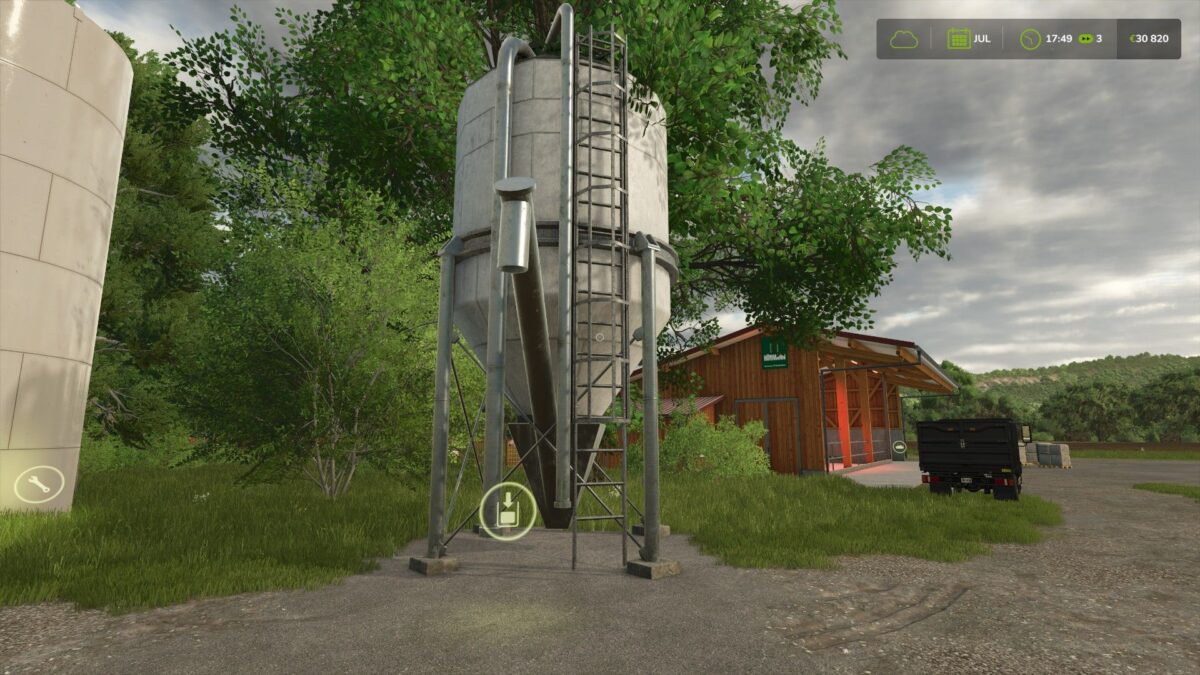
FS25 Buildings

Multifruit Shopping Station v 1.2

Multifruit Shopping Station v 1.2

Multifruit buying station. Do you need a specific product for your productions? Is your harvest not good enough this season?
Place this silo on your farm and you can buy any product directly (with a big additional discount compared to the market price) and possibility to unlock certain trophies.

Products available:
– All staple crops/grains
– All basic liquids
– All basic production products

Price: 2000€
Category in game: Container

Version 1.2:
* Additions of new fill types: spinach – green beans – peas – rice – long grain rice and goat’s milk buffalo milk
* ModDesc update
* Titles are now more readable
* Slightly enlarged trigger for larger skips or machines
* Removal of pallets since everything can be purchased in pallet store

Credits:

FARMTECK MODDING

How to install FS25 Buildings?
Firstly find a mod which you like and want to download. Then download a mod to your PC. Mods are usually in .zip format file. But sometimes it can be in .rar. If a mod file is a .zip format no needed additional actions. If a file is in .rar, then you must unarchive mod with software like WinRar or Zip7. Windows 10 users no need to use software for archives, Win10 itself has a feature to unarchive files.
The next step is to find mods folder in your PC. Usually, it is in Documents/My Games/Farming Simulator 25/2025. Open the "mods" folder and put downloaded .zip archive or unarchived .rar file to this folder.
Last step. Enjoy of FS25 mods!

Leave a Reply

Your email address will not be published. Required fields are marked *