
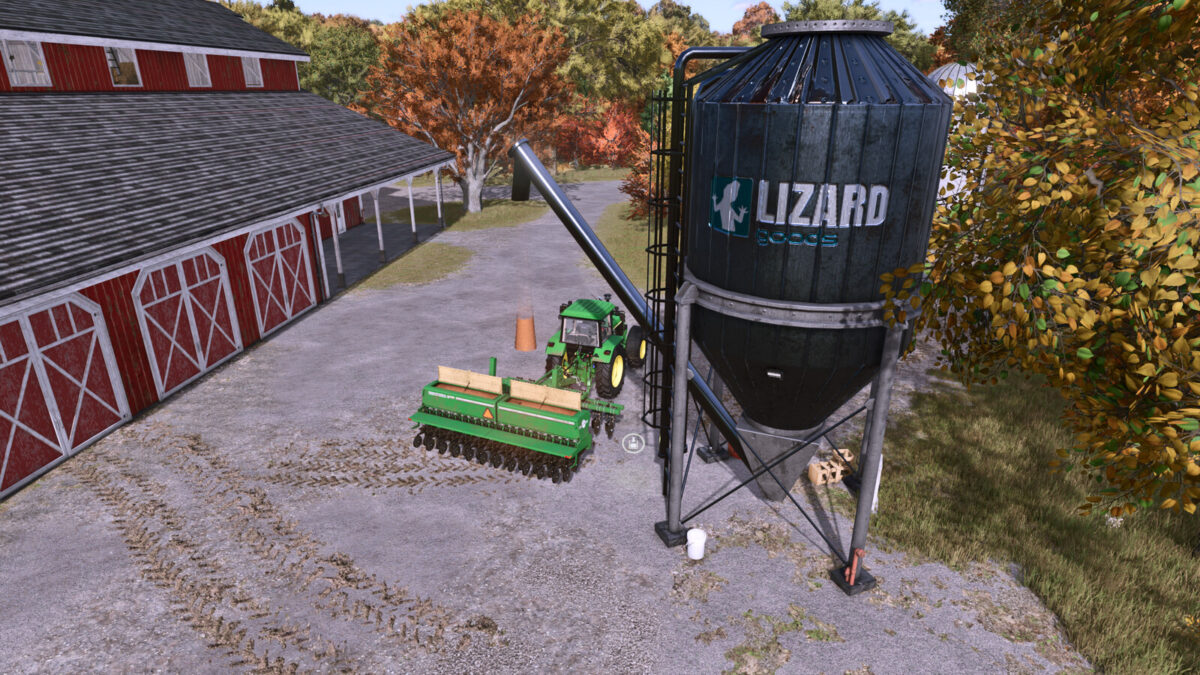
FS25 Buildings

Multifruit Buying Station v 1.1.0.1

Multifruit Buying Station v 1.1.0.1

Category: Selling Station
Price: $2.500
Monthly upkeep: $3000

Place this silo in your farm and you will be able to buy any product directly (with an extra discount versus the market price)

Products available:
– All base crops/grains
– All base liquids
– All base production products

Includes 2 versions:
– 40% of the map price; perfect to get the products that you want to get that production working. Price: 16.500$
– 90% of the map price; adjusted for a more realistic gameplay where you get a 10% off because you purchase Bulk material that requires your own transport.

Version 1.1.0.1:
* Fixed the daily upkeep value
* Added a multipurpose station with buying bulk area, buying pallets area and selling goods area

Credits:

82Studio

How to install FS25 Buildings?
Firstly find a mod which you like and want to download. Then download a mod to your PC. Mods are usually in .zip format file. But sometimes it can be in .rar. If a mod file is a .zip format no needed additional actions. If a file is in .rar, then you must unarchive mod with software like WinRar or Zip7. Windows 10 users no need to use software for archives, Win10 itself has a feature to unarchive files.
The next step is to find mods folder in your PC. Usually, it is in Documents/My Games/Farming Simulator 25/2025. Open the "mods" folder and put downloaded .zip archive or unarchived .rar file to this folder.
Last step. Enjoy of FS25 mods!

Leave a Reply

Your email address will not be published. Required fields are marked *