
FS25 Buildings

Multi Production Factory v 1.0.1.0

Multi Production Factory v 1.0.1.0

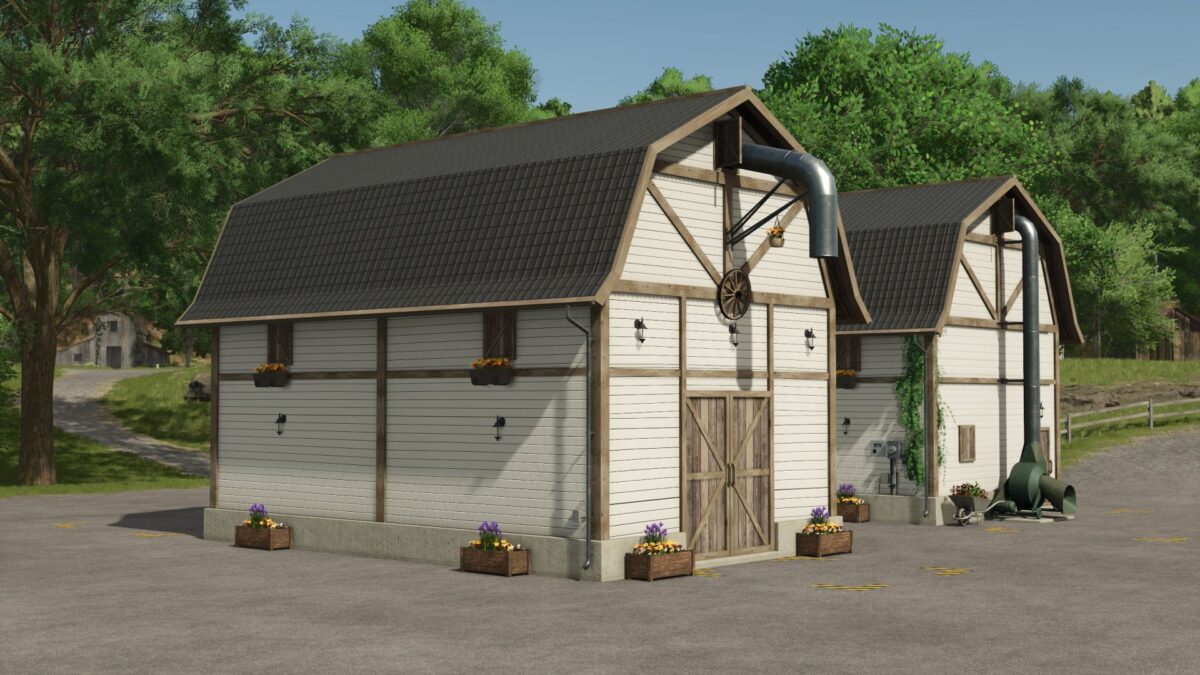
Here you have a small factory in a rustic and compact style that will allow you to produce a lot of things

  • Can be produced
  • Cow feed based on hay, straw, silage, mineral feed
  • Pig feed based on corn, sugar beets, wheat, barley, sunflower and soy
  • Fertilizers based on wheat and fermentation residues
  • Lime from stones and water
  • Seeds like wheat and water
  • Manure based on digestate and straw
  • Mineral food based on lime and grass
  • Capacity per incoming product 2,000,000 liters
  • Capacity per outgoing product 3,500,000
  • Costs €65,580
  • Maintenance €50

Version 1.0.1.0:
* Icon error fixed
* Sign added with product entries

Credits:

SAZLA MODDING

How to install FS25 Buildings?
Firstly find a mod which you like and want to download. Then download a mod to your PC. Mods are usually in .zip format file. But sometimes it can be in .rar. If a mod file is a .zip format no needed additional actions. If a file is in .rar, then you must unarchive mod with software like WinRar or Zip7. Windows 10 users no need to use software for archives, Win10 itself has a feature to unarchive files.
The next step is to find mods folder in your PC. Usually, it is in Documents/My Games/Farming Simulator 25/2025. Open the "mods" folder and put downloaded .zip archive or unarchived .rar file to this folder.
Last step. Enjoy of FS25 mods!

Leave a Reply

Your email address will not be published. Required fields are marked *