

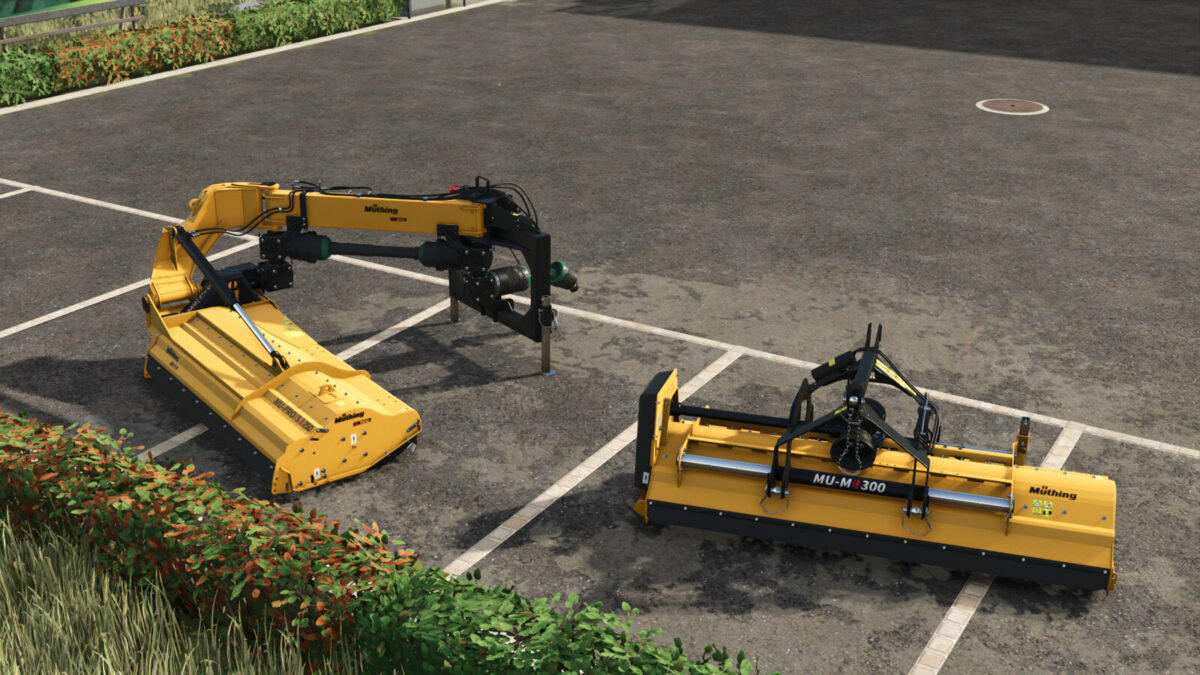
Muething Mulchers Pack v 1.0


Consists:
Müthing MU-M 300 Vario
Müthing MU-PRO/S 250 Vario
The Müthing Mulcher MU-M 300 Vario is a powerful mulching mower designed for professional use in agriculture and landscaping.
With a working width of 3 meters, this mulcher is ideal for larger areas and challenging terrain.
The MU-M 300 Vario is characterized by its robust construction, high-quality craftsmanship, and reliability.
Thanks to its variable cutting height, it can be adjusted to various requirements.
The unique mulching technology ensures fine shredding of the cut material and even distribution on the ground, resulting in improved soil structure and nutrient supply.
With its powerful engine and durable cutting tools, the Müthing Mulcher MU-M 300 Vario is a reliable partner for efficient mulching in demanding environments.
– Category: Mulchers
– Price: 8,950 $
– Max. working speed: 12 kph
– Required power: 75 – 160 hp
– Working width: 3.00 m
– Weight: 1,085 kg
Configurations:
– Warning signs
– Logo white
The Müthing MU-PRO/S 250 Vario is a powerful mulcher designed for agricultural and municipal applications.
With a working width of 250 centimeters and adjustable cutting height, it offers versatility and adaptability.
Its robust design, powerful gearbox, and safety features make it a reliable machine for efficiently shredding grass, shrubs, and small branches on medium to large-scale areas.
– Category: Mulchers
– Price: 18,800 $
– Max. working speed: 12 kph
– Required power: 180 – 220 hp
– Working width: 2.50 m
– Weight: 1,330 kg
Controls information:
– The side mulcher is folded in by pressing the X key and unfolded by pressing the left mouse button.
– Raising and lowering the mower bar (hold both mouse buttons) only works when it is in the lowered position.
Credits:
Agrar Design Austria


