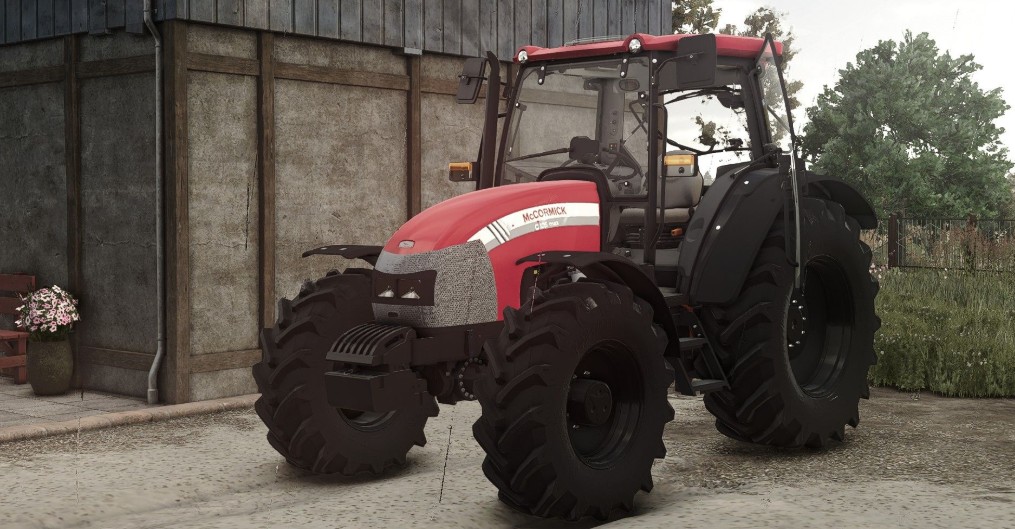
McCormick C-Max 105 v 1.2


The McCormick C-Max 105 v1.2 is a versatile tractor designed for a range of farming activities in Farming Simulator 25.
With a maximum power output of 105 horsepower, it offers robust performance and the ability to handle various implements and attachments.
The tractor can reach a top speed of 40 km/h, making it efficient for traveling across larger fields or farm areas.
Players can customize the McCormick C-Max 105 with several configuration options.
The mod includes the ability to add front weights, which can help improve stability and increase traction when using heavy equipment.
Additionally, front fenders can be applied for better protection from mud and debris.
A notable feature of this mod is the cabin mouse control specialization, which enhances user interaction with the in-cab controls, providing a more immersive experience while operating the tractor.
– Price used: 39,500€
– Maximum horsepower: 105
– Maximum speed: 40 km/h
– Configurations: front weight, front fenders, wheel configurations
– Specializations: cabin mouse control
Version 1.2:
* Added realGPS support
* Added configuration for GPS monitor
Credits:
Starlexs, z7Cola