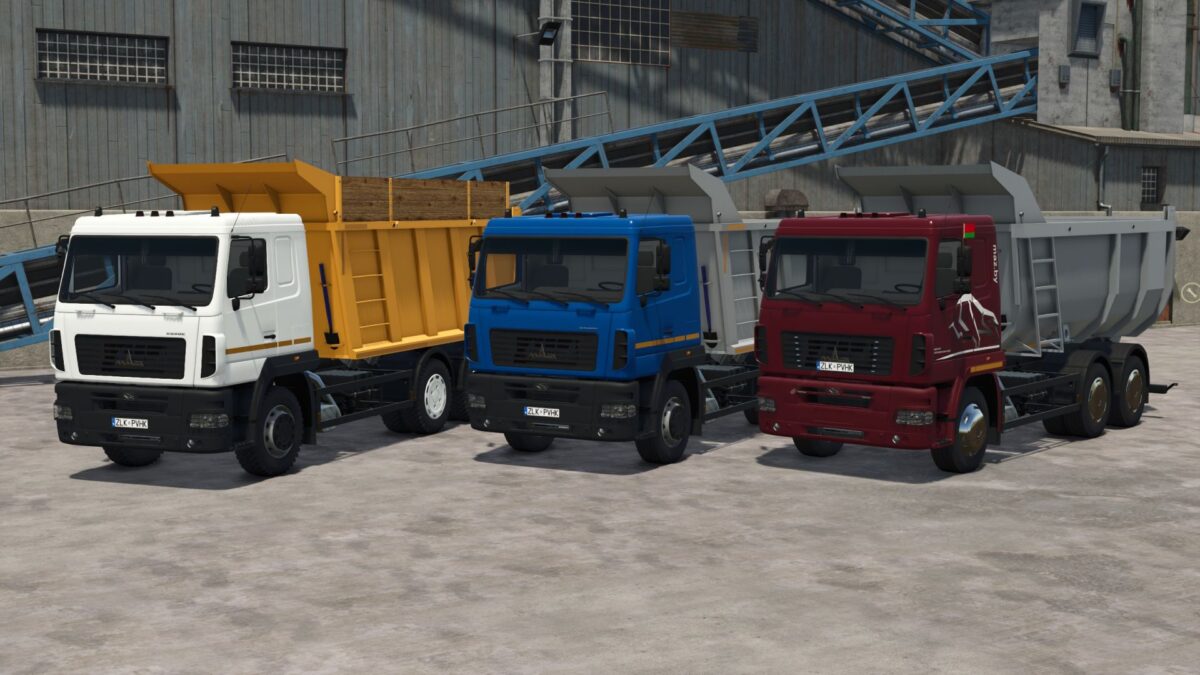
MAZ 6501 Dump Truck v 1.3


Features:
– Choice of cabin color (original colors);
– Choice of body color (original colors);
– Selection of bumper colors (original colors);
– Choice of facade color (original colors);
– Choice of side bumper color (original colors);
– Selection of body configuration (standard – 20 m3, metal interior – 25.5 m3, wooden interior – 24.5 m3);
– Choice of engine (YaMZ-653.10 (422 hp), BMW 12D6.430E5 (423 hp);
– selection of tires (road, agro);
– Choice of rims (3 options);
– Choice of cabin stickers (reflective strip, reflective strip + stickers, “Bison” stickers);
– Selection of the position of the number (serial, on top of the bumper, on the hood);
– Possibility of removing the rear bumper;
– Possibility of removing the reflective strips from the bodywork;
– Possibility of mounting a hitch with exits for a trailer;
– Selection of collective farm stickers;
– Possibility of mounting additional lighting.
Version 1.3:
* Fixed an issue with spoiler painting
Credits:
Sania1996