

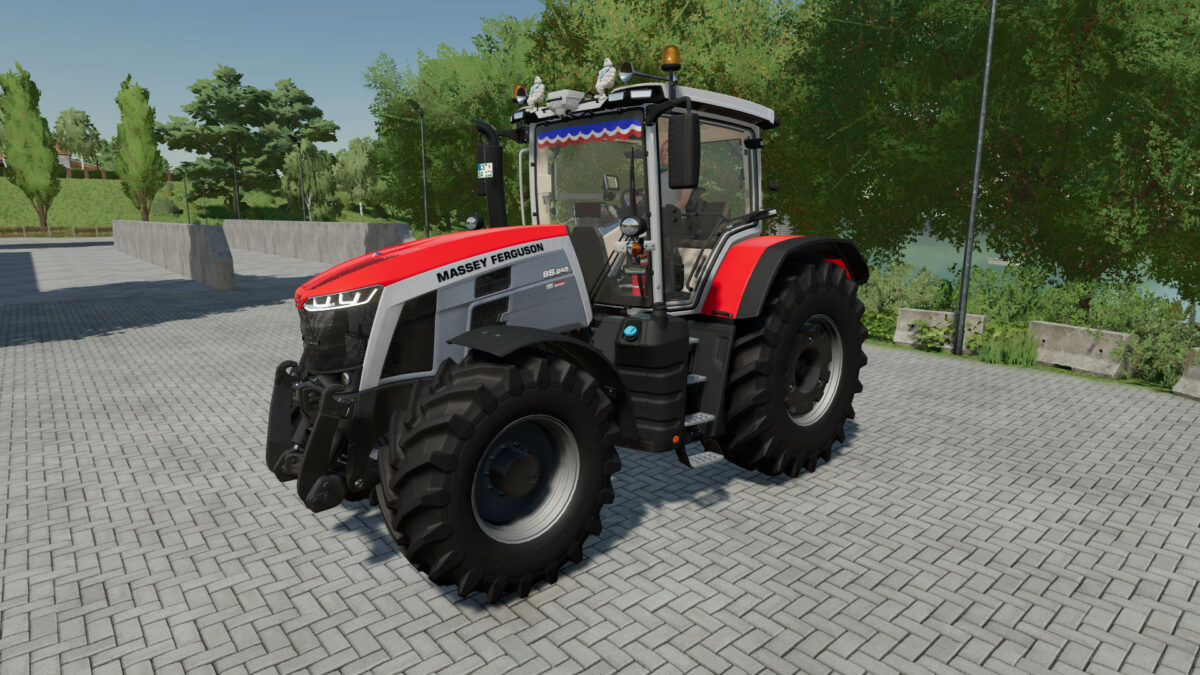
Massey Ferguson 8S Series v 1.0


– Added 2 Michelin men to the roof
– Added 2 horns on the roof
– Added 2 FR flags to the roof – Added 2 JA flags to the roof
– Added 2 MF flags to the roof
– Added a phone to the seat armrest
– Added a phone holder attached to the windshield + second phone
– Added a “Massey Ferguson” plaque to the dashboard
– Added a fire extinguisher in the cabin
– Addition of 2 antennas (1 on the right side of the cabin and 1 on the left side of the cabin)
– Added a pistol in the cabin
– Added a poppy in the cabin
– Addition of a light (LED) in the cabin (activation via the lights)
– Added a pack of beers in the cabin
– Added a maneuvering ball on the steering wheel
– Added 6 blue-violet LEDs in the cabin
– Added 6 light blue LEDs in the cabin
– Added 6 red LEDs in the cabin
– Added 2 flashing LEDs on the grille
– Added a FR banner at the top of the windshield
– Added 2 tire configurations with Michelin white writing (wide tires and dual wheels)
– Modification of the original horn
– Added Interactive Control
Credits:
romaainyt


