

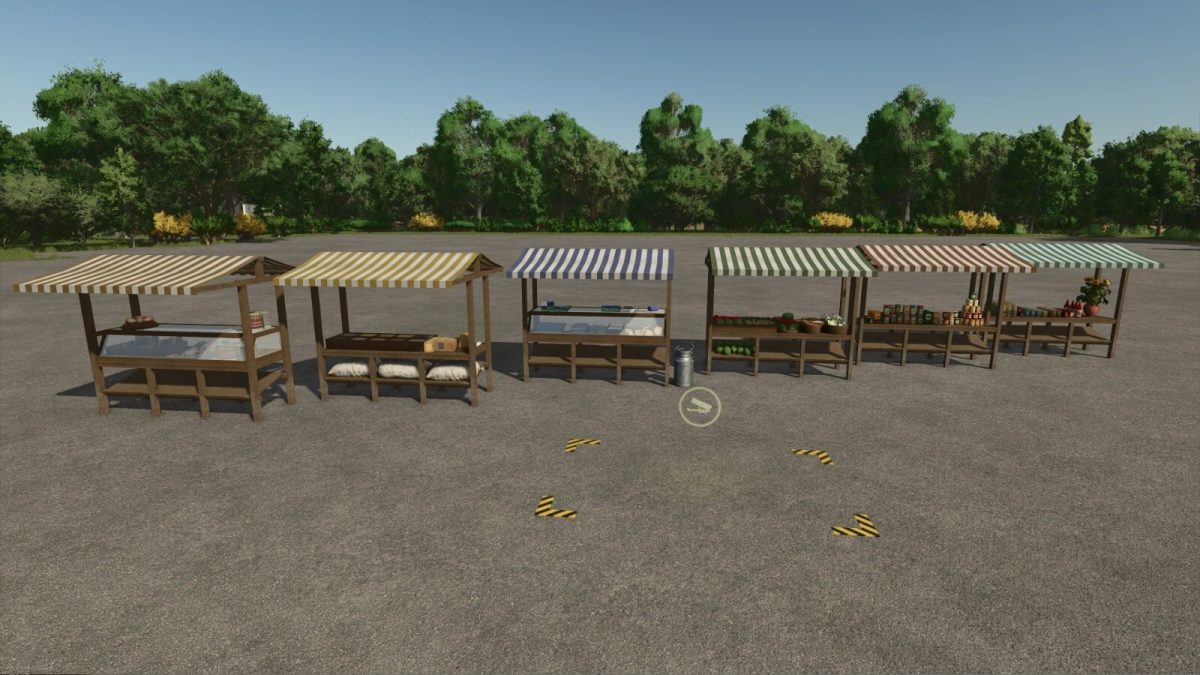
Market Place v 1.0


With this mod, you can build a typical European market.
You can choose between a marketplace with multiple stalls, a single market stall with a complete range of products, and individual market stalls as decorative objects that you can combine as desired.
There is also a simple selling unloading point that allows you to transform the decorative market stalls into a functioning market.
At all selling stations in this mod, you can sell grain, as well as products from your production and the products of your animals, such as milk.
Because direct marketing allows you to reach customers without detours, you can earn even more money with these market stalls than with sales stations in town.
There is a version of the market stalls where most products are only visible once they have been delivered.
For players who always want to see their market stall fully stocked, there is also a version where all products are visible at all times.
The sales options are the same for both versions.
There are color choices for the individual market stalls.
Market Place
Category: Selling Points
Price: $15,000
Daily upkeep: $5
Market Place, decorated
Category: Selling Points
Price: $15,000
Daily upkeep: $5
Market Stall
Category: Selling Points
Price: $5,000
Daily upkeep: $5
Market Stall, decorated
Category: Selling Points
Price: $5,000
Daily upkeep: $5
Selling Station
Category: Selling Points
Price: $50
Daily upkeep: $1
Marketstall Decoration
Category: Decoration
Price: $100
Daily upkeep: $1
Topics: Bakery, grain, dairy, vegetables, canned food, miscellaneous
Configuration: Color choice
Credits:
OmaTana


