

Lubricating Grease v 2.3


The lubricating grease helps to keep the performance of the mechanical parts high.
If you check that you are constantly using the lubricating grease, the wear will be less and the life of the mod will be greater otherwise the wear and the life of the mod will get worse faster.
This package add the management of the lubricating grease and it’s added automatically in all supported vehicles with the default lubrication values or you can add the specific lubrication value for each mod by adding the specific values.
Configurations:
– Consumption quantity for each lubrication point (default is one gram)
– Seconds of interval for lubrication when the vehicle is used (default is 30 seconds)
– Identification for a tool of a vehicle (default is false)
– Grease lubrication points for basic use of the vehicle
– Grease lubrication points for the working mode of the vehicle
– Optional and changeable hydraulic wear sound when use the mod and grease is missing
This package includes:
– Added the lubricating grease for vehicles
– Added a new HUD that show the lubricating grease fill level
– Added configuration in the store for add and position the SKF Lincoln to the mod
– Added the SKF Lincoln with lubricating grease animated when work and animated fill level
– Added a new pallet and barrels with the lubricating grease for refilling your mods
– Added the trailer Fliegl ASW 271 of the game edited for working with lubricating grease
– Added a new store packs: “Lubricating grease” here you can find all mods that working with the specific values of lubricating grease
– The lubricating grease used is calculated based on the settings and when the mod is used
– The factor amount of the life and wear of the mod is changed when is using or not the lubricating grease
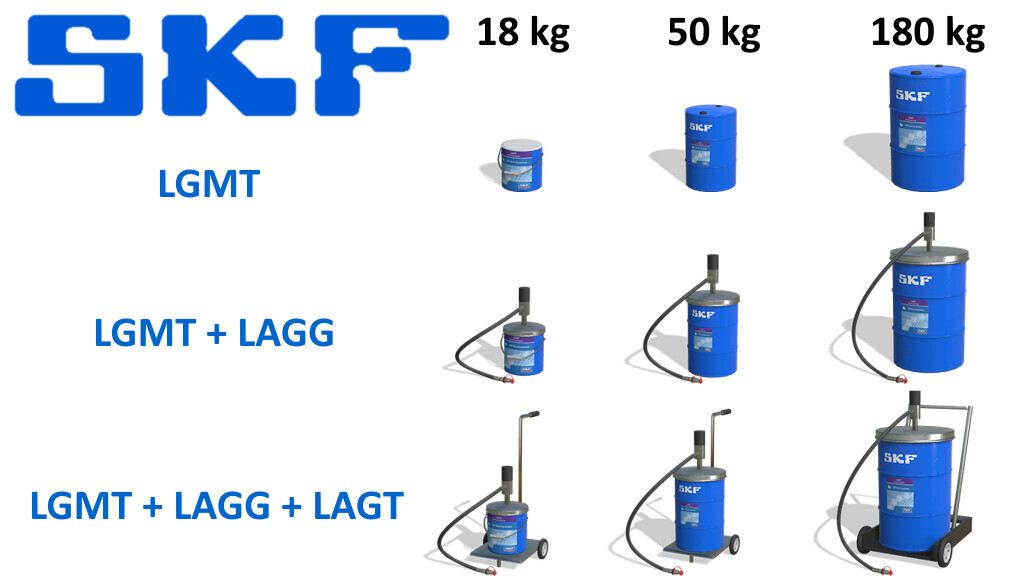
Pallet and barrels of lubricating grease:
– LGMT + LAGG 18 contains 18 kg of lubricating grease and the price is 150 $
– LGMT + LAGG 50 contains 50 kg of lubricating grease and the price is 450 $
– LGMT + LAGG 180 contains 180 kg of lubricating grease and the price is 1.500 $
– LAGT + LGMT + LAGG 18 contains 18 kg of lubricating grease and the price is 150 $
– LAGT + LGMT + LAGG 50 contains 50 kg of lubricating grease and the price is 450 $
– LAGT + LGMT + LAGG 180 contains 180 kg of lubricating grease and the price is 1.500 $
– LGMT 18 contains 18 kg of lubricating grease and the price is 150 $
– LGMT 50 contains 50 kg of lubricating grease and the price is 450 $
– LGMT 180 contains 180 kg of lubricating grease and the price is 1.500 $
– One barrel contains 180 kg of lubricating grease and the price is 1.500 $
– Two barrels contains 360 kg of lubricating grease and the price is 3.000 $
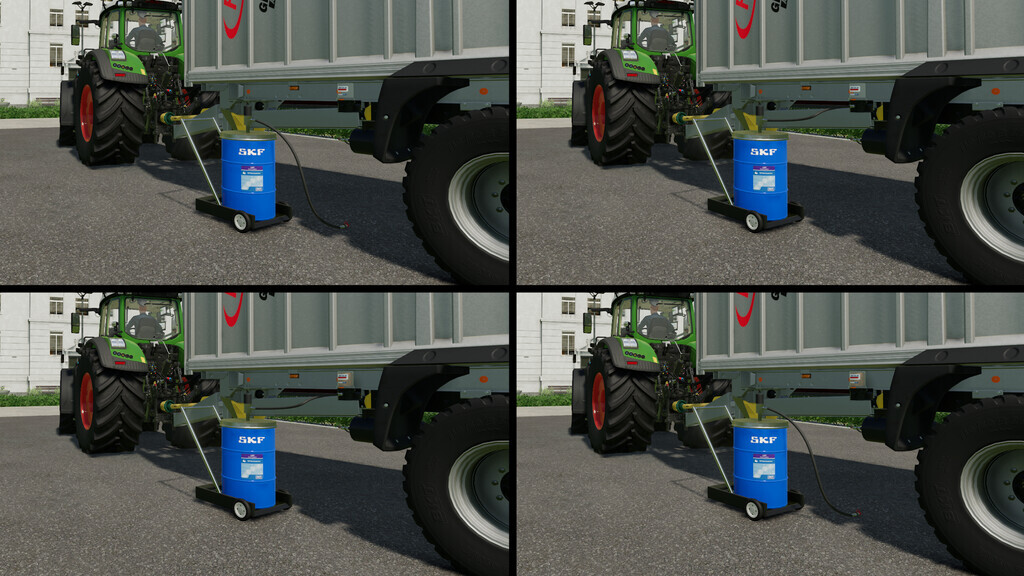
INSTRUCTIONS ONLY FOR BARRELS WITH HOSE (Screenshot 3)
1. Place the vehicle’s tank as close to the hose as possible
2. Without leave the vehicle, attach the hose of the lubricating grease barrel
3. Turn on the pump of the lubricating grease barrel
4. Start refilling the SKF Lincoln tank in the vehicle
5. When finished refueling, detach the hose of the lubricating grease barrel
WARNINGS:
– For barrels with hose, you can refill the SKF Lincoln ONLY when the hose is attached to the SKF Lincoln. (Screenshot 3)
– You can refill the mod with lubricating grease, only when the mod has used more than 50% of the lubricating grease
– Always check that you have lubricating grease in the tank of the machine before using it
– The use of the lubricating grease is interrupted when the option for the “Helper Refill – Grease” has been activated with “Buy” and therefore the need to refill is also disabled
REMEMBER: for customization the use of the lubricating grease, you must add the settings inside the your mods. For the last, add the dependency in your modDesc file.
Version 2.3:
* Changed the unit from kg to g
Credits:
DD ModPassion


