LSFM Big Bags Pack v 1.0.0.2


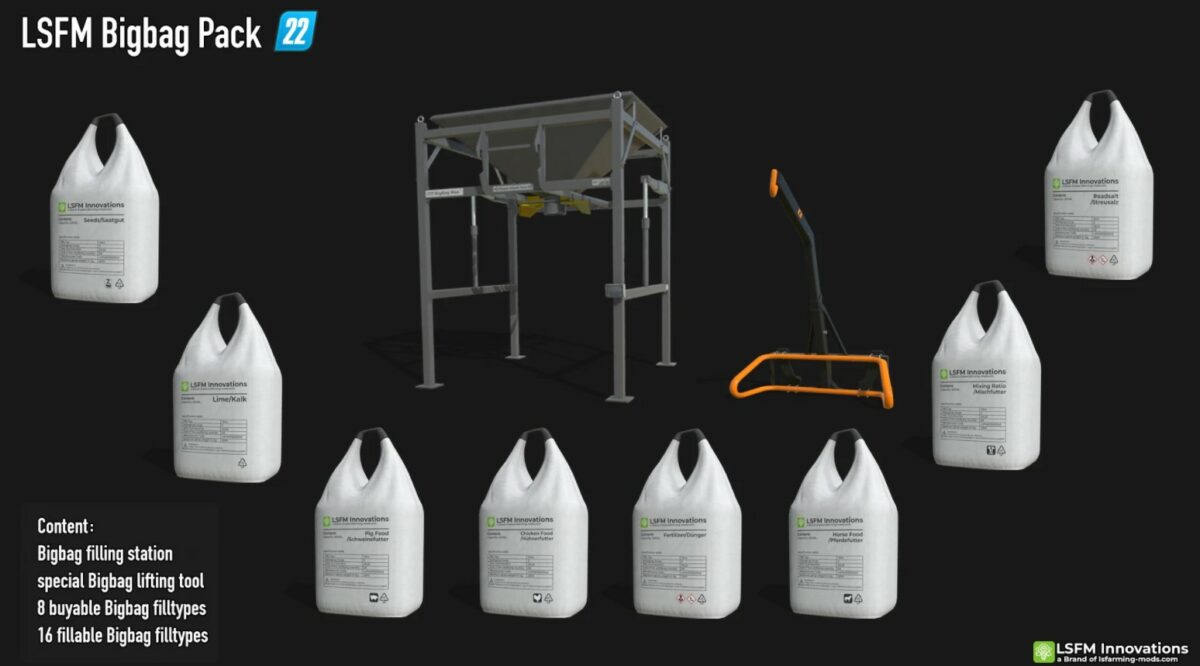
This is a Big Bags Pack, it is mainly used to make BigBags, but there are also 8 buyable ones.
These Big Bags are characterized by their large filling volume as they have a capacity of 2000 liters.
Specially made Big Bags spawn automatically at the filling station.
Operation of the BigBag filling station:
– After purchasing the filling station in the shop, it can be lifted using a telehandler
– No additional tools are required for the telehandler. The attacher on the Big Bag filler is located at the top of the Attach here sign
– After setting up the filler at the yard, the Big Bag filler can be filled using a shovel or screw conveyor
– In order to start filling (manufacturing) you have to enter the Big Bag filling station and activate the pallet production
Notes on the shop:
– This pack does not come with its own shop category
– Big Bags can be found in the Big Bag category
– The Big Bag Lifter for frontloader tools (original conversion so that it fits the large Big Bags)
– The Big Bag filling station is located under Tools (trailer symbol) under Miscellaneous
Version 1.0.0.2:
* Fixed the missing store icon on the fillable Big Bag
Credits:
Farmer_Andy