

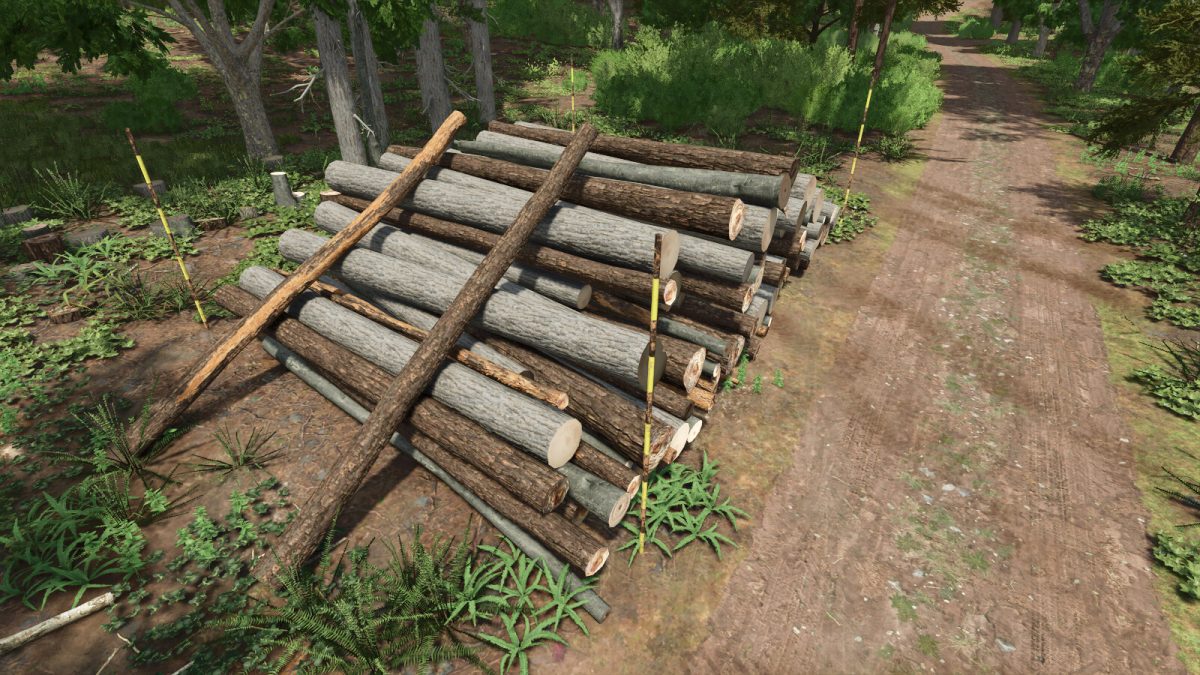
Log Piling Area with invisible Wall v 1.0


This mod is a placeable object developed for players who wish to play in the style of stacking logs on forest roads and sawmills.
This log piling area has an invisible wall to prevent the stacked logs from collapsing due to the fluctuations of the physics engine in the game.
This invisible wall collides only with the logs and not with vehicles or cranes.
The height of the invisible wall is 3 meters (Same height as the supports and poles).
Metal and log supports have their own collision, but thin poles do not.
The “with area guide pole” version is an alternative for players who only want to use the anti-collapse feature of the logs.
The width of the pole matches the width of the invisible wall.
Log piling area with metal posts
Category: Miscellaneous
Price: $500
Daily upkeep: $0
Customize list
– 10m wide for 5-6m logs
– 15m wide for 5-6m logs
– 20m wide for 5-6m logs
– 10m wide for 8-9m logs
– 15m wide for 8-9m logs
– 20m wide for 8-9m logs
Log piling area with wood posts
Category: Miscellaneous
Price: $500
Daily upkeep: $0
Customize list
– 10m wide for 5-6m logs
– 15m wide for 5-6m logs
– 20m wide for 5-6m logs
– 10m wide for 8-9m logs
– 15m wide for 8-9m logs
– 20m wide for 8-9m logs
Log piling area with area guide poles
Category: Miscellaneous
Price: $500
Daily upkeep: $0
Customize list
– 10m wide for 5-6m logs
– 15m wide for 5-6m logs
– 20m wide for 5-6m logs
– 10m wide for 8-9m logs
– 15m wide for 8-9m logs
– 20m wide for 8-9m logs
Credits:
Shumino Modding


