Lizard Trold v 1.0


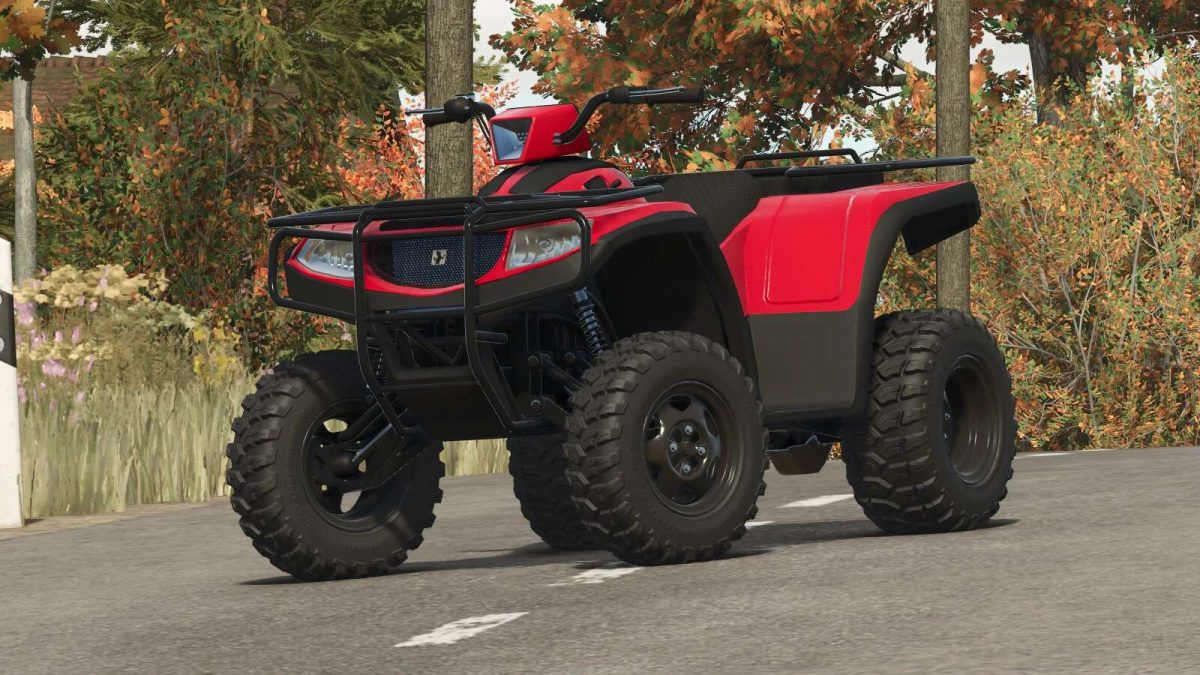
– Category: Cars & Bikes
– Price: $10,500
– Power: 104 hp
– Top speed: 145 km/h
– 7 different tire models
– 6 different rims
– Optional manual or automatic gear shifting
– 4 optional handlebar light models
– Round auxiliary light or LED bar
– Optional bumper
– Optional hand guard
– 4 optional snorkel variations
– Optional front radiator
– Two main headlight models
– Optional right, left, or dual exhaust, as well as a choice of black or metallic color
– Optional axle width
– Optional grille with tension straps
– 6 optional camouflage options and one carbon fiber option
– Fixed 3-point rear hitch Side panel
– Rear trailer hitch
– Color selection for bodywork, suspension, handlebar light surround, side panel, seat, handlebar grips, bumper, and wheels
– Manual suspension height adjustment
– Wheelie animation, an adaptation to make the function possible in the game. It is responsive to input and seeks to approximate real-life behavior. The animation can be controlled with a mouse, keyboard, or gamepad. Avoid wheelies at high speeds and wear a helmet.
– A space for a passenger
Credits:
Agro Tonho