

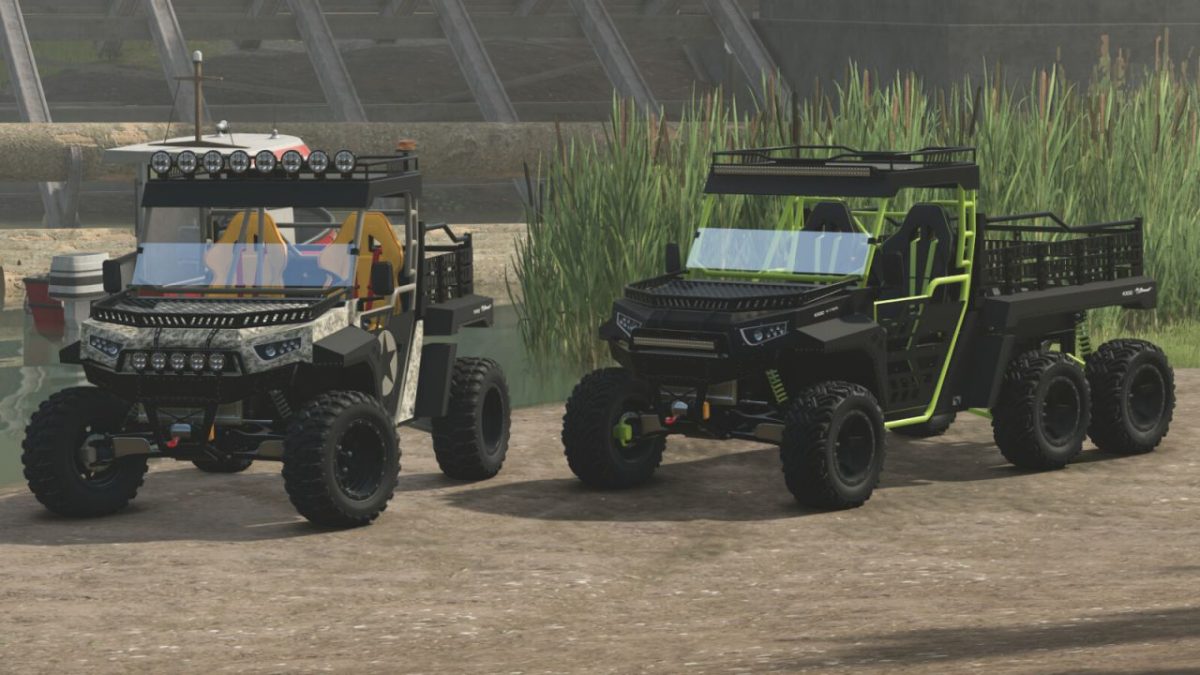
Lizard the Beast 1000 v 1.0


The Lizard The Beast 1000 features an aggressive and compact look and is designed to be the ultimate off-road recreational UTV and help with your farm activities. This mod has 4X4 and 6X6 models to better suit your activities, the description represents both models
General characteristics
– Price The Beast 4X4: $18,200
– Price The Beast 6X6: $20,200
– Category: Cars & Bikes
– Maximum speed: 130 kph
– Power: 140 HP
– 7 different rims for each optional tire brand
– 5 optional tire brands
– Optional bodywork colors, protective grille, seats, seat details and wheels
– Two headlight models for both the cabin and the bumper
– Optional buckets, either normal, with just the lid or just the platform
– 6 different camouflage options, with another optional carbon fiber and main color
– Optional mirrors
– Optional rotating light
– Optional with or without grilles in the cabin and on the hood
– Optional front glass
– Optional star on the door
– Controllable animations of the doors, tailgate, bucket tilt, height, mirror adjustment and internal camera adjustment
– Optional rear 3-point hitch
Credits:
Agro Tonho


