

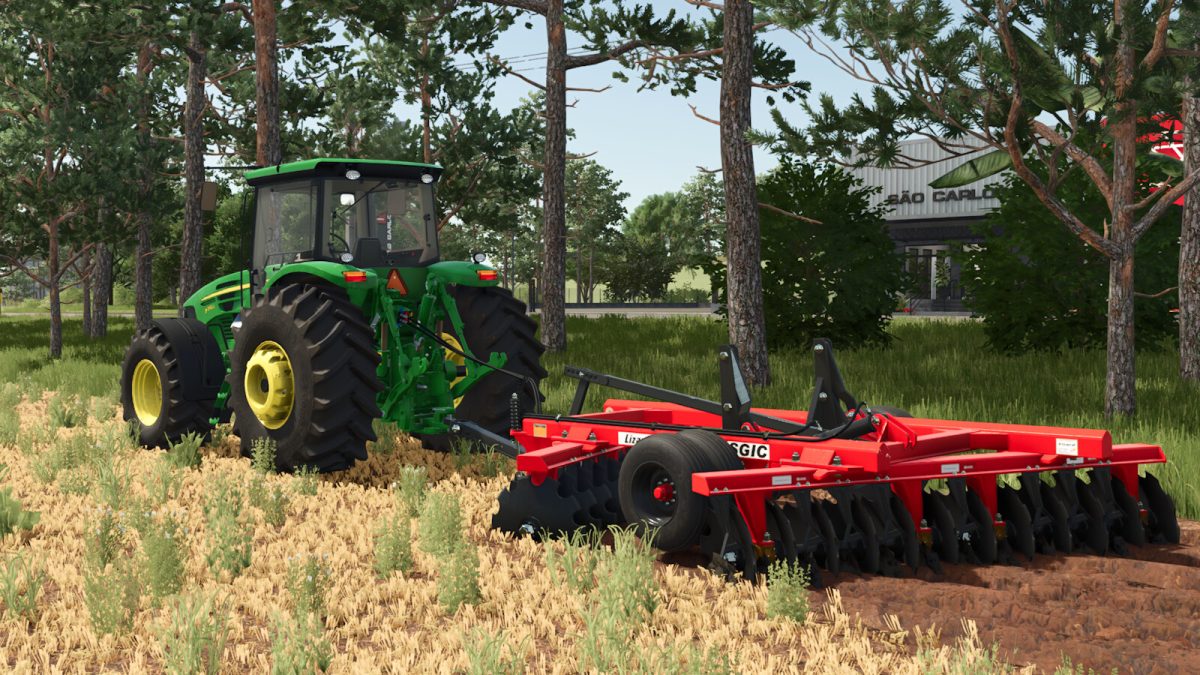
Lizard SGIC v 1.0


The Lizard SGIC Plow is designed to meet the needs of small producers looking for an efficient solution for soil preparation and field opening.
Available in two size options 18 Disc and 24 Disc this plow allows flexibility for various farming tasks. With a recommended power range of 110-140 horsepower, it is suitable for a variety of tractors.
The plow operates at a working speed of 12 km/h, and its working width varies between 2.5m and 3.2m, making it versatile for different field sizes.
The Lizard SGIC Plow also has a significant weight range of 2600 kg to 4200 kg, providing stability during operation.
Customization is key, with options available for wheel types, chassis colors, secondary colors, bearing colors, and disc edge colors.
Additionally, users can choose from various configurations, including size, work area, tires, decals, and reflective decals, to better match their individual farming requirements.
– Brand: Lizard
– Category: Plows
– Price: $14,000
– Recommended power: 110-140 hp
– Working speed: 12 km/h
– Working width: 2.5m – 3.
Credits:
SrVertex, Tiik Modding


