

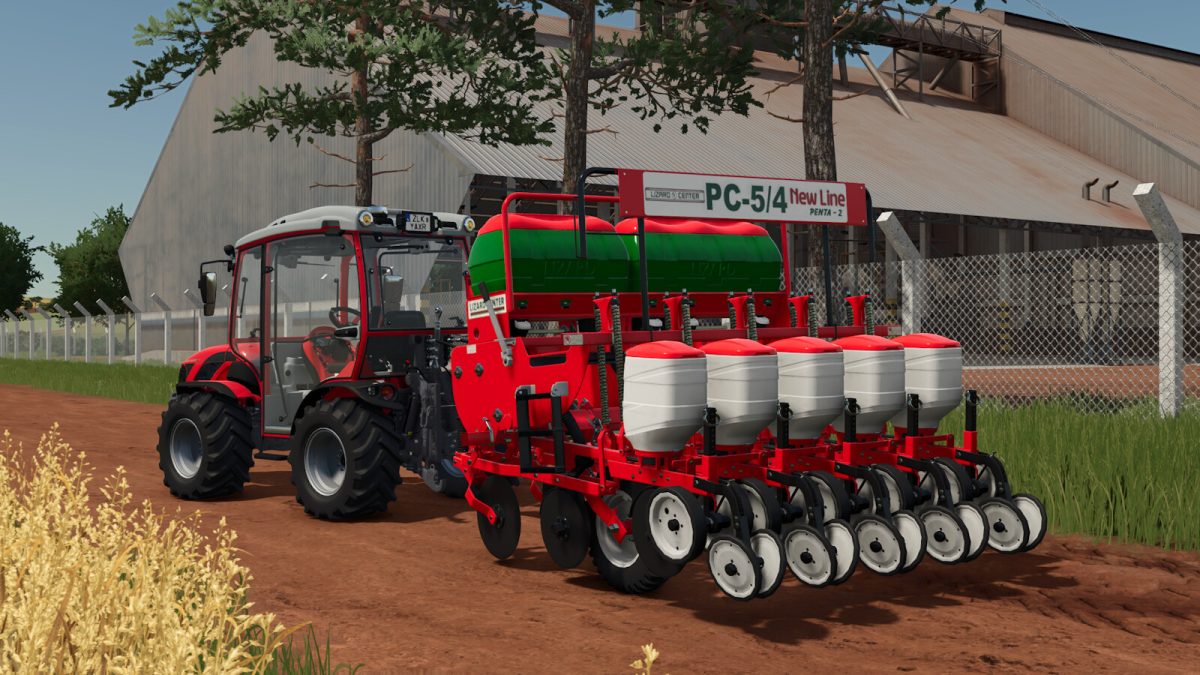
Lizard Penta Line Seeder v 1.0


When we start a new game we always need something to seed our future. The Lizard Penta Line contains several models with various functions, to help small and medium producers, and thus be able to develop their farms more efficiently at the beginning of their journey. Besides it contains several animations to facilitate the transport, contain animation to cover with a Canvas, Adjustable Planting Markers, real sounds and with all gears and chains functional as well as the real models, and with the Versions of 5 Lines, 7 Lines, 9 Lines, 11 Lines and 13 Lines, you will have several options to work.
Shared Specifications:
– Category: Planters;
– Configurations: Inoculant Tank, Rear Hitch, GPS and Giroflex, Planting Markers, Cover Canvas, Models, Lights, Cutting System, Spacing, Colors;
– More realistic dirt and wear;
– Contains a lighter, optimized, and more dynamic rows and flexible parts system, decreasing lagging when buying several planters on a map;
– Allows the Character to Climb on the Implement AND one more passenger in the larger versions (Only Requires KUBOTA DLC For one more Passenger, but a character works with the base game itself);
Penta 5 Rows:
– Price: $ 20.000;
– Capacity: 250L of Seeds, 350-650L Fertilizer;
– Working Area: 2.26 Meters;
– Power Required: 20hp – 50hp;
Penta 7 Rows:
– Price: $ 23.000;
– Capacity: 350L of Seed, 450-750L Fertilizer;
– Work Area: 3,1 Meters;
– Power Requirement: 70 hp;
Penta 9 Rows:
– Price: $ 26.000;
– Capacity: 450L Seed, 1000-1300L Fertilizer;
– Work Area: 4,04 Meters;
– Power Requirement: 90 hp;
Penta 11 Rows:
– Price: $ 30.000;
– Capacity: 550L of Seeds, 1400-1700L Fertilizer;
– Work Area: 4,96 Meters;
– Power Required: 110 hp;
Penta 13 Rows:
– Price: $ 34.000;
– Capacity: 650L of Seeds, 350-650L Fertilizer;
– Work Area: 5,96 Meters;
– Power Requirement: 130 hp;
Credits:
SrVertex


