

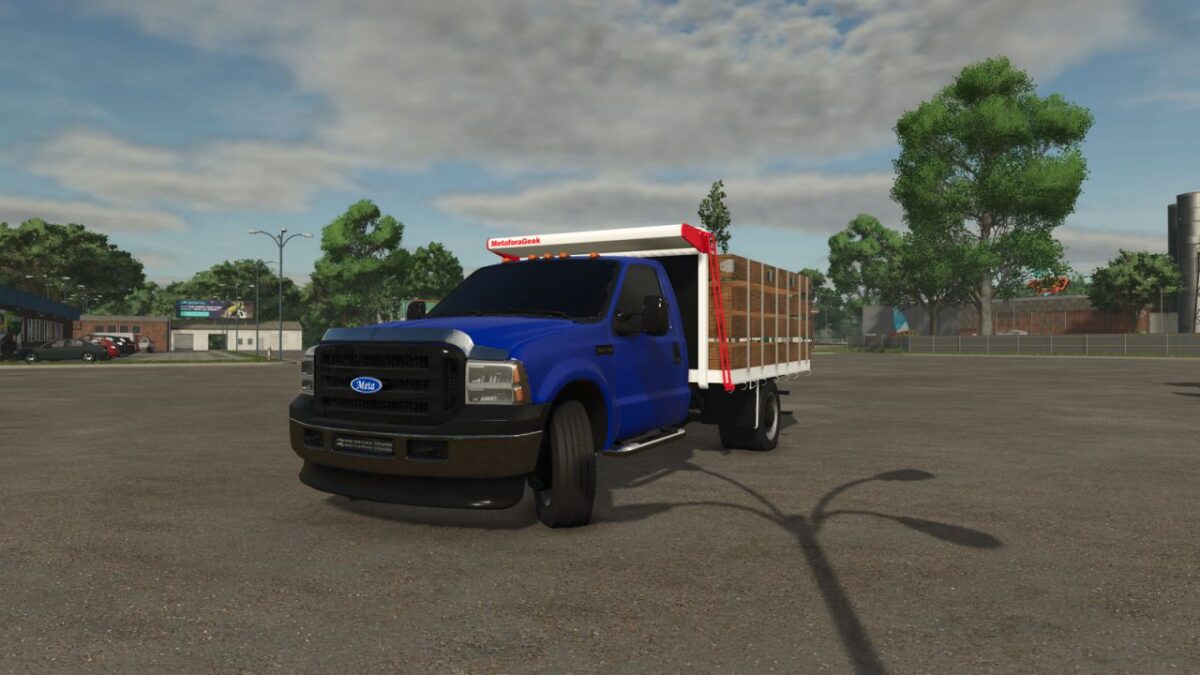
Lizard Meta 350 v1.0


Lizard Meta-350 – Work Pickup (FS25)
Work pickup with a 6.8L V10 engine and 5-speed automatic transmission. Designed for the farm: it carries pallets, milk or cheese depending on the body you choose in the shop.
BODIES (shop configuration)
– Steel flatbed with checker plate floor and tie-down straps (included)
– Flatbed with wooden sideboards – $15.000
– 4,000 L milk tank (milk, goat milk, buffalo milk or water) with rear discharge valve – $15.000
– Cheese van (insulated box body) with opening rear door, dedicated lights and tie-down straps – $15.000
FEATURES
– Choice of cab color (full palette)
– Illuminated instruments and displays
– Custom Venezuelan license plate
– V10 engine sound
DATA
– Price: $60.000
– Power: 362 hp
– Top speed: 120 km/h
– Category: Trucks
– Multiplayer: Yes
– No scripts and no dependencies on other mods
– Tested with GIANTS TestRunner 0.9.23
Credits:
MetaforaGeek


