

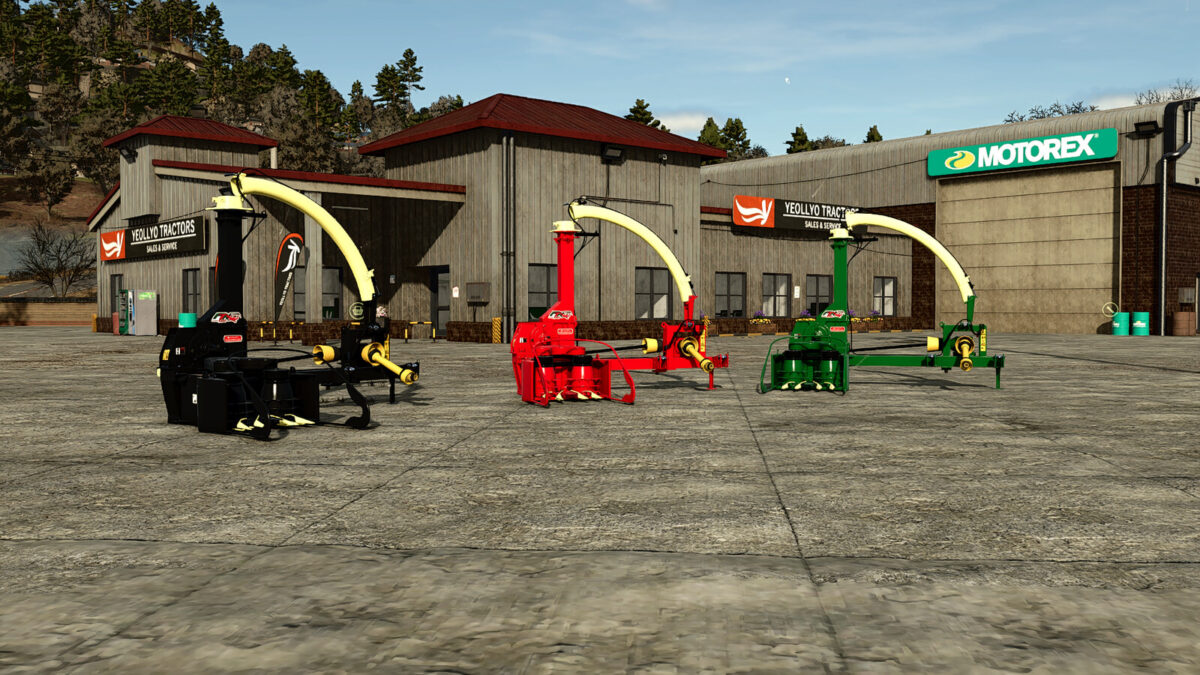
Lizard FTN 1000 v 1.0


The Lizard FTN 1000 is designed to enhance the efficiency of silage production within Farming Simulator 25. This implement serves as a versatile tool capable of handling multiple crops, including maize, sorghum, and grass. The working width of 1 meter allows for effective cutting and producing high-quality silage at a low cost, making it a practical addition to any farming operation.
With a weight of 550 kg, the FTN 1000 is easily manageable while still providing robust performance. It requires a minimum of 65 horsepower from your tractor, making it accessible for a variety of equipment in the game. With a competitive price point of $12,000, it represents a sensible investment for those looking to enhance silage production. Additionally, players can customize the appearance of the FTN 1000 with a choice of red, green, or black color configurations to suit their preferences.
– Working width: 1 meter
– Weight: 550 kg
– Power required: 65 hp
– Price: $12,000
– Color configuration: red, green, black
Credits:
Frits


