

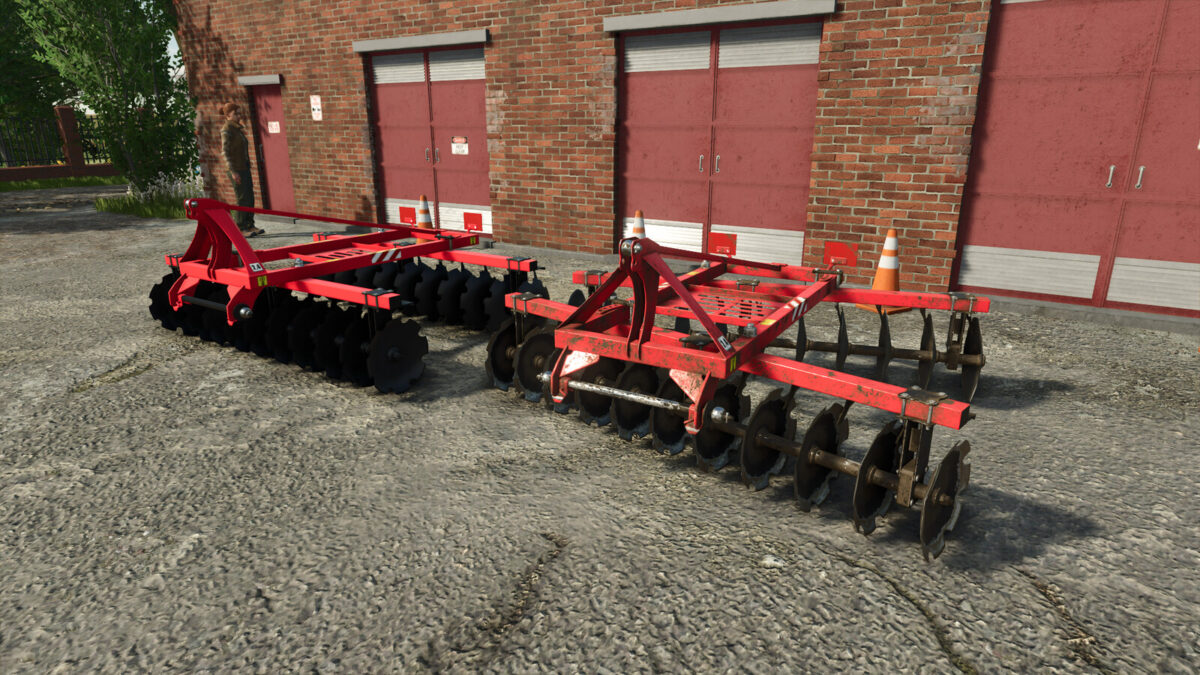
Lizard Disc Harrow 2.4 v 1.0


The Lizard Disc Harrow 2.4 v 1.0 is designed specifically for use with smaller tractors, making it an ideal tool for farmers operating on compact fields. With a price point of $3,500, this implement is accessible for many users.
The harrow features a working width of 2.4 meters and requires a minimum power of 55 horsepower to operate effectively. It achieves a maximum working speed of 17 km/h, enhancing productivity during field preparation tasks. The design includes 11 plates in each section, which ensures efficient tilting and soil preparation.
One of the standout features of the Lizard Disc Harrow is its interactive elements; users can animate various components with a mouse click, providing a level of realism and engagement. Additionally, the mod offers customization options, allowing users to apply different stickers and choose between front and back plate configurations.
– Price: $3,500
– Required power: 55hp
– Working width: 2.4m
– Max. working speed: 17km/h
– Number of plates in the section: 11pcs
– Elements animated under the mouse button
– Configurations: Stickers, Front and back plates
Credits:
BartsoNv3


