

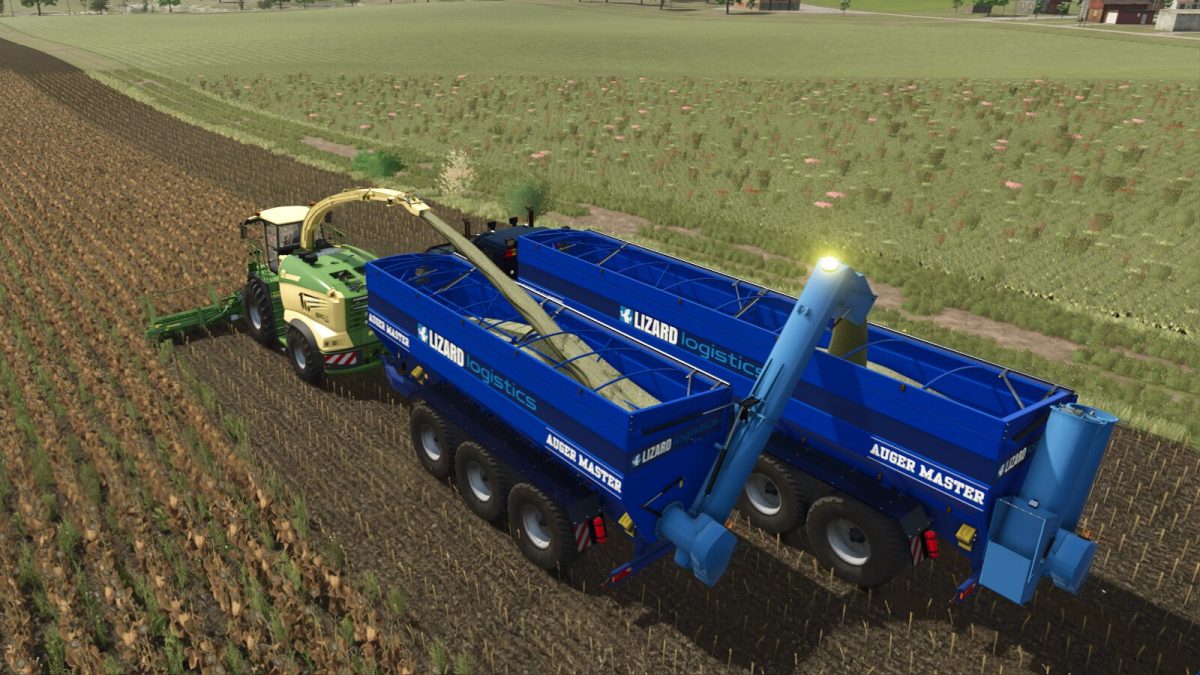
Lizard Auger Master v 1.0


The Lizard Auger Master has the unique advantage of a rear-mounted auger, allowing easy access to load and unload vehicles and trailers. Hook it up behind a cane or forage harvester to let your helper work the field, without needing a following trailer. The unique fill light feature lets you see from a distance, how full the storage is, so you can swing buy and unload from the auger, without even needing to interrupt your worker. Just make sure to unfold the pipe and set its position in advance, and the rest is automatic.
Features
– Supports all bulk category fill types
– Rear-mounted auger, for easier access to load and unload
– Supports ball, pin-hitch, or semi attachment
– Boom-mounted spotlight (attached to reverse worklight switch) to light up unload destination
– Optional fill-level light, to easily see how full the storage is from a distance (off for empty, green for less than 50%, yellow until 1,000L left, then red). Useful for AI-driven tasks.
– AI not allowed to reverse trailer, since they’re not very good at it, so they’ll do U-turns instead
– Steering axles for better turning
– Multiple different tyre choices, including twin field-safe narrow tyre options
– Large range of colour options
– Beacon light!
Price: $88,000 ($99,000 for semi-truck version)
Capacity: 43,000L (60,000 for semi-truck version)
Credits:
Mantrid


