

Lizard AGT 450 v 1.0


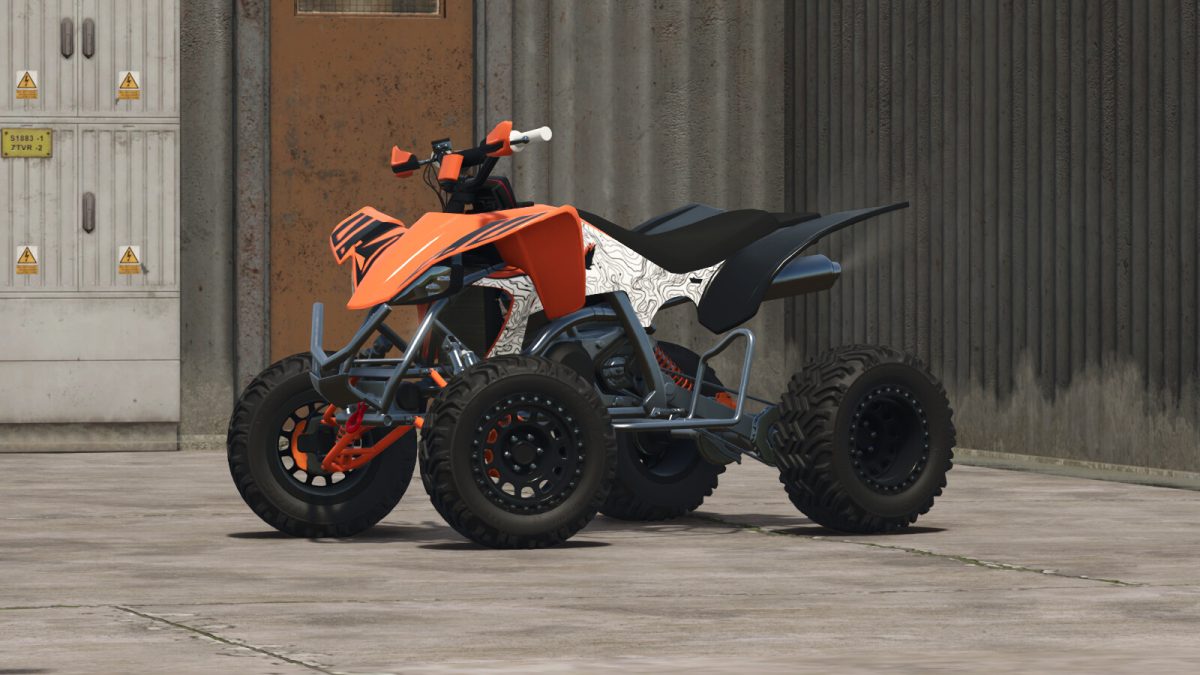
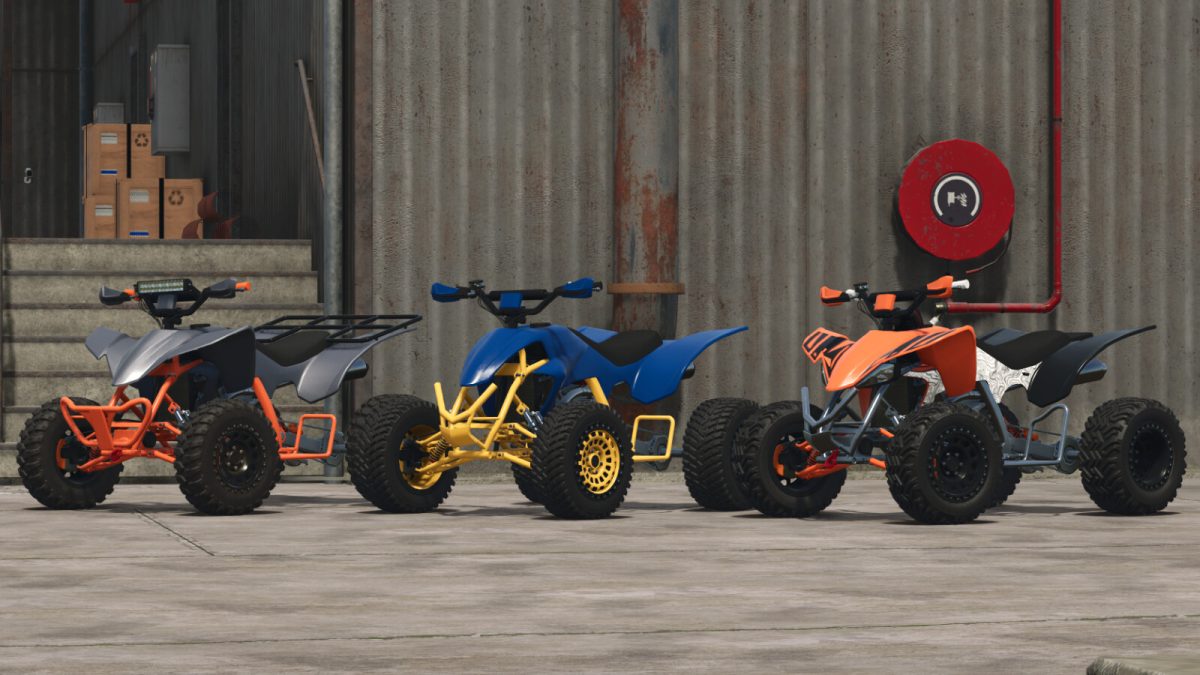
The Lizard AGT 450 is a quad bike to meet the demands of your farm work as well as for moments of leisure and relaxation, equipped with several optional extras for the configuration you desire best
Specifications
– Category: Cars & Bikes
– Price: $10,500
– Power: 104 to 140 hp
– Maximum speed: 145 km/h
– 5 tire models
– 5 different rims for each tire model
– Optional functional rear hitch and front hook as a prop
– Wheelie animation, being an adaptation to make it possible in the game, very sensitive to the commands to try to assimilate the real function. The animation uses the manual commands of the mouse, keyboard or controller. Avoid wheelies at high speeds and wear a helmet
– Optional engine with programmable injection panels and probe beds, along with the option of manual or automatic gear changes
– Optional stickers
– Optional handlebar protector, LED bar and panel
– Optional hand protectors
– Two models of bumper or without bumper
– Optional single or dual exhaust, in metallic or black options
– Optional foot protectors
– Optional rear grille, with the option to use straps to secure objects
– A space for passengers
– Has animation of the suspension height
– Optional colors for the bodywork, frame, front suspension, seat, handle, stripe stickers, brake calipers and wheels
Credits:
Agro Tonho


