

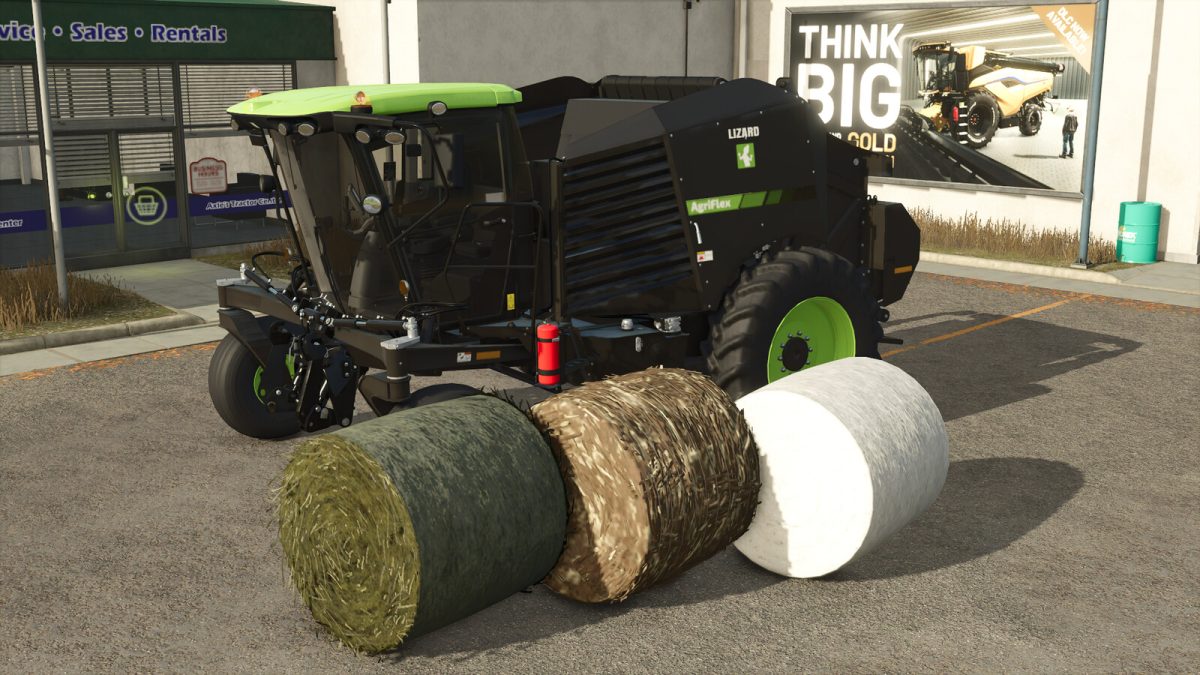
Lizard AgriFlex SPB v 1.0


Introducing the Lizard AgriFlex, a premium self propelled baler (SPB) with a next-gen hybrid cutter pickup assembly. In addition to picking up standard windrow fill like grass/hay/straw, this hybrid pickup can also strip cotton from its stem as well as cut and chop poplar. Additionally, an optional 3-point front attachment allows the use of a front mower to mow and bale grass in a single pass.
-Category: Roundbalers
-Price: $235,000
-Power: 250 hp
-Max. speed: 35 mph
-Working speed: 13 mph
-Working width: 3.2m
Additional Features:
-Unload unfinished bales WITHOUT additional mods/scripts
-Added pre-chamber/buffer
-Custom bale sizes and capacities
-Optional 3-point attacher (200hp PTO availible with baler running)
-Optional silage additive
-Additional wheel options including crawlers and extra wide floaters
-Decal configurations
-Window tint configurations
-Color options for main body, accent (roof) and rims.
Credits:
Bb Mods


