

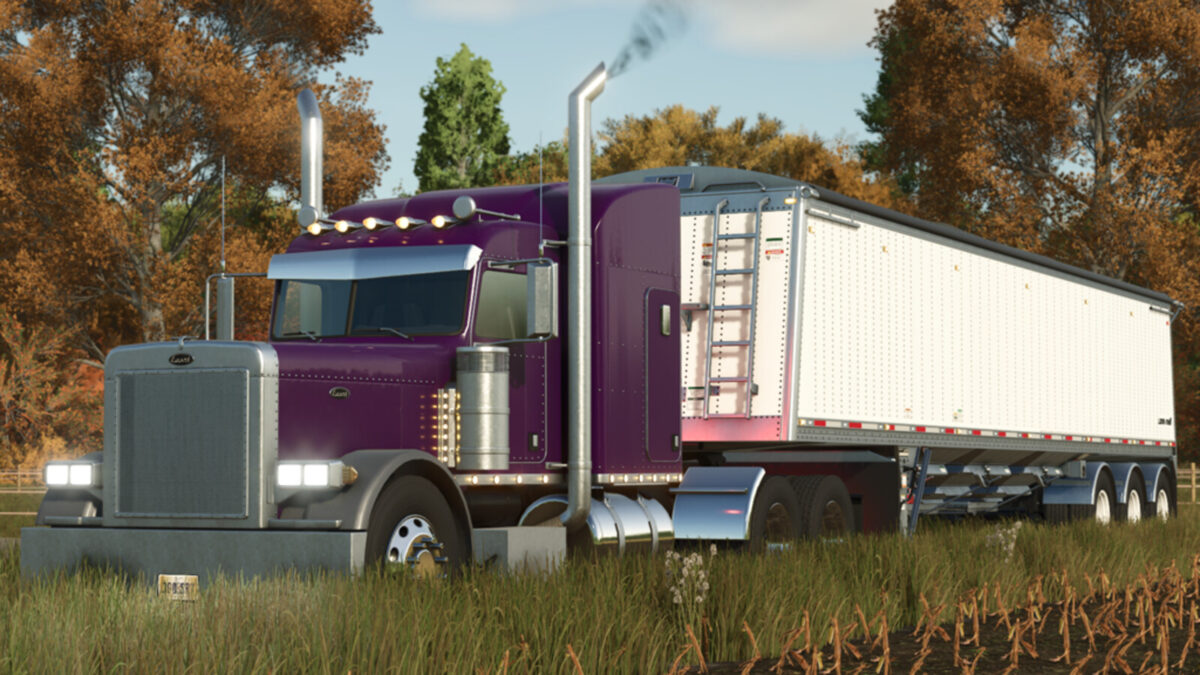
Lizard 379 v 1.0


Perfect large truck to use on your farm, although the 379 is no longer in production today, it was launched in 1986 and to this day is one of the most loved by those who are fans of large trucks, it is one of the most popular models of trucks for those who want a high quality vehicle.
Options:
– Power 425hp to 1050hp
– Chassis 4×2/6×4/6×4 long/8×4
– Jake brake
– Fifth wheel adjustment
– Bumpers
– Short cabin
– Long cabin
– Standard chassis
– Long chassis
– Short chassis
– Lights on top of the cabin
– Lights in the rear view mirrors
– Exhausts
– Fenders
– Horn for decoration
– Colors in the cabin
– Colors on the chassis
– Colors on the fenders
– Displays in the cabin
– Dashboard option
– Steering wheel option
– Option of stickers and vinyls
– Front grille
– Glass
Price: 45.000 $
Power: 425 hp
Maximum speed: 120 km/h
Credits:
SleutjesModding


