

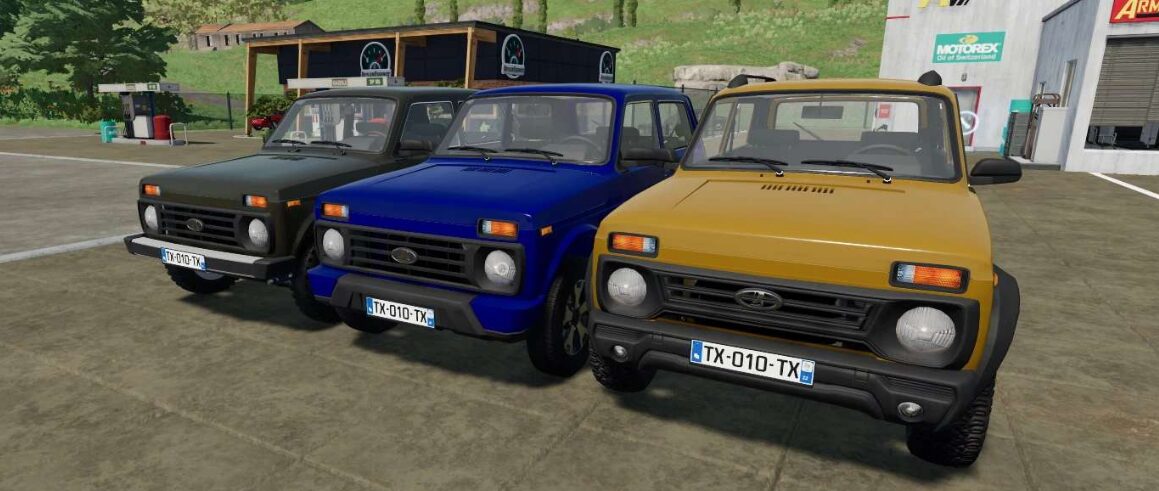
Lada 4×4/Urban/Bronto v 1.0


– The 3d model was fully rebuild, practically from scratch, and now looks much more closer to the original car
– UDIM, wear and dirt textures
– Animated front and rear suspension, including the cardan shaft
– Choice of configuration – Standard or configuration with cans in the boot
– The cans for liquids has 500 litres capacity and can be filled with Milk, Water, Slurry, Digestate, Liquid fertilizer and Herbicide. When the tank is filled with Herbicide or Liquid fertilizer, the car can be used for refilling sprayers. Water can be filled from lakes or rivers
– Choice of different wheels- Choice of body color
– Choice of rim color (only for some rims)
– Working instrument panel
– Realistic looking lights
– License plates
– Back door can be opened with “X” key (unfolding the car) with animation sound
– Working wipers with sound
– Manual gearbox
– Animated pedals
– Support of driver + 3 passengers
– Support of Interactive control for the doors, hood, boot and fuel tank
Credits:
Radichkov


