




FS25 Misc

Krone EasyCut Pack v1.0.0.0

Krone EasyCut Pack v1.0.0.0

Krone EasyCut Pack v1.0.0.0

Krone EasyCut Pack v1.0.0.0

Krone EasyCut Pack v1.0.0.0

Krone EasyCut Pack v1.0.0.0

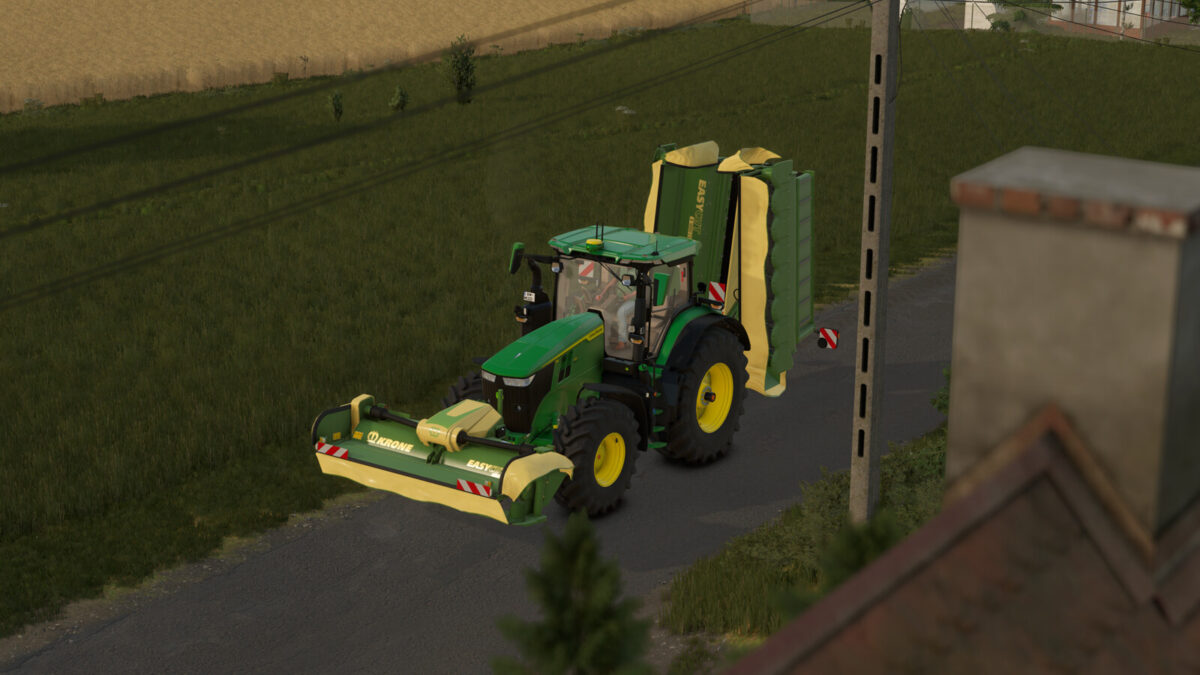
KRONE EasyCut Pack consisting of the front mower F360 CV and the rear mower combination B1000 CV Collect does not only offer a powerful triple mower combination but also the ability to collect the crop into a swath.
The mowers in combination have a maximum working width of 10,10m with the rear mowers being infinitely variable. Depending on the work mode the crop can be distributed across the whole working width or collected into a swath from both sides or only one side.
EasyCut F360 CV:
Price: 23000 €
Working width: 3,6 m
Max. working speed: 22 kph
Required power: 90 hp
EasyCut B1000 CV Collect:
Price: 83000 €
Working width: 10,10 m
Max. working speed: 22 kph
Required power: 200 hp

Credits:

bm-modding, Wopster

How to install FS25 Misc?
Firstly find a mod which you like and want to download. Then download a mod to your PC. Mods are usually in .zip format file. But sometimes it can be in .rar. If a mod file is a .zip format no needed additional actions. If a file is in .rar, then you must unarchive mod with software like WinRar or Zip7. Windows 10 users no need to use software for archives, Win10 itself has a feature to unarchive files.
The next step is to find mods folder in your PC. Usually, it is in Documents/My Games/Farming Simulator 25/2025. Open the "mods" folder and put downloaded .zip archive or unarchived .rar file to this folder.
Last step. Enjoy of FS25 mods!

Leave a Reply

Your email address will not be published. Required fields are marked *