

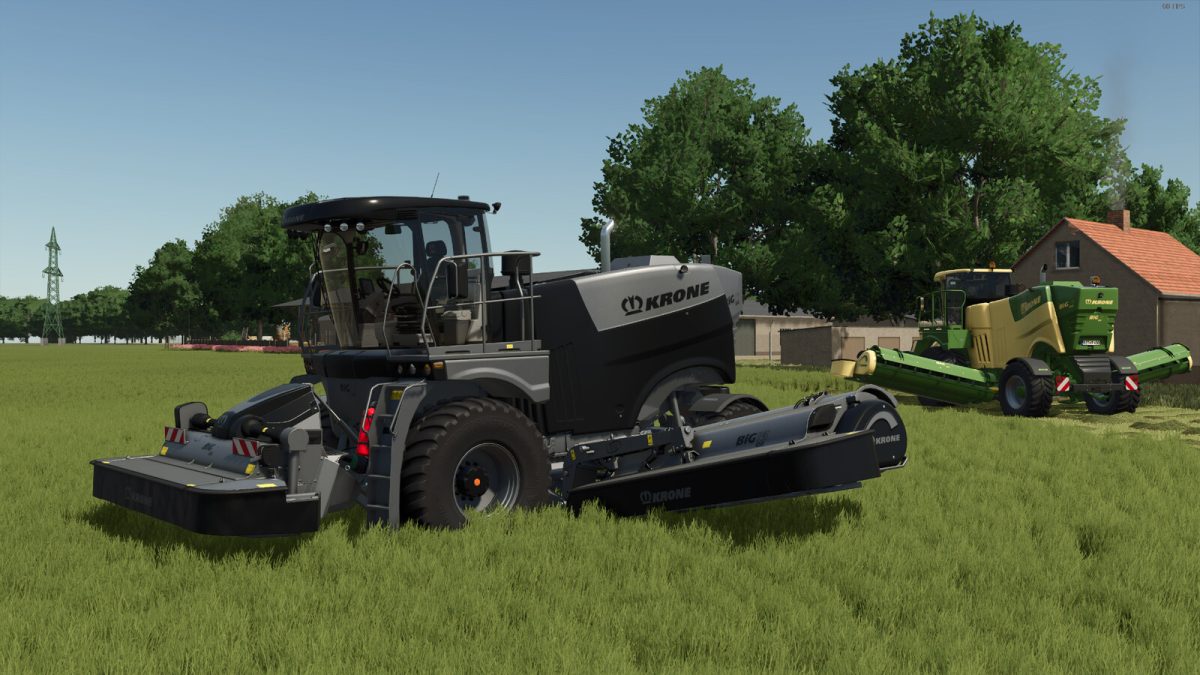
Krone Big M v 1.0


Category: Mowers
Price: $468,000
Power: 449 hp
Max. speed: 40 kph
Working Width: 10 m
Working Speed: 25 kph
The BigM 450 has been given a special paint job from Agritechnica 2017, which stands out with its distinctive black and silver color scheme, clearly differentiating it from the standard colors. This paint job is available in both gloss and matte finishes. Additionally, special paint options in “Krone Green” with black and “Old Green” have been added.
You can also choose between the standard “Gray” or classic black for the interior and seat.
For even more individuality, there are two options for window tinting and three options for the beacons.
Summary of Changes:
– Color configurations “Black Edition,” “Green Black Edition,” and “Old Green” added (Machine color, rim color, and hub color change depending on the design selection)
– Fire extinguisher sticker added
– Interior color available in gray or black
– Seat color available in gray or black
– Beacons in 3 variants: classic, modern, and modern clear
– Window tinting available in blue and black from the outside
Credits:
MircoGT


