

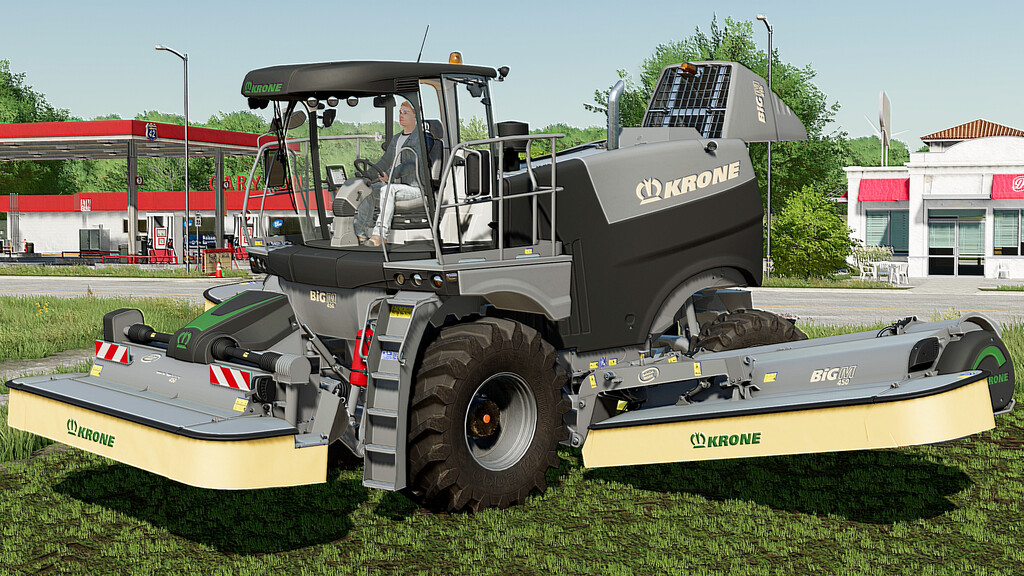
Krone Big M 450 v 1.0


To make your games more realistic, I offer you this modified Krone BIG M450.
It is the same machine as the one in the base game, with identical characteristics in terms of engine power, working speed etc.
In addition, it is equipped with many animations. All animations are controlled either by the mouse or by “Interactive Control”.
– Price: 350,000 $
– Power: 449 hp
– Maximum Speed: 40 kph
– Working Speed: 25 kph
Configuration :
– Design (Secondary Ladder and mudguard)
– Wheels
– Customizable painting (Main color, Design color and Cover color)
The animations present on this machine are :
* Left and right Door
* ALL mirrors
* Steering wheel
* Joystick armrest
* Joystick Monitor
* Driver seat position (on the X,Y and Z axes)
* Seat armrest
* Maintenance Flap
Credits:
Just Farming


