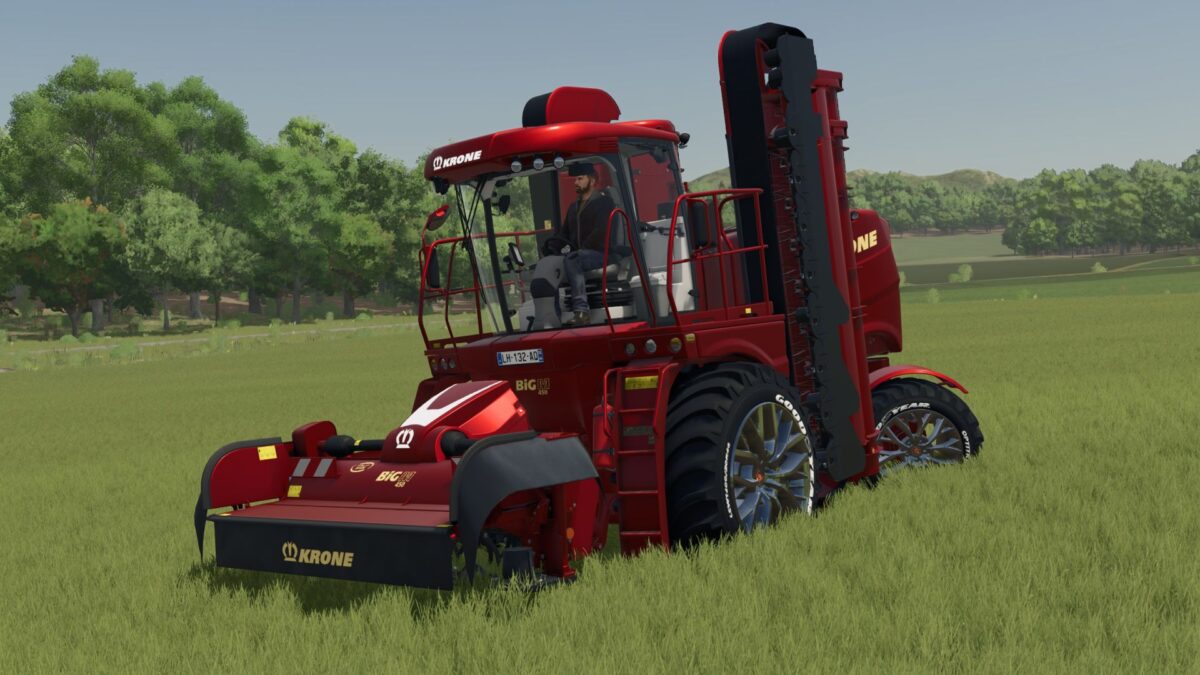
Krone Big M 450 v 1.0


The Krone Big M 450 v 1.0 is a powerful and versatile addition to your Farming Simulator 25 fleet. This mod features a fully customized version of the well-known Krone Big M, designed to enhance your farming experience with improved aesthetics and functionality. The customization includes unique rims and paint options, allowing you to personalize the machine to fit your style.
With a base price of €468,000, the Krone Big M 450 boasts impressive specifications, providing a power range from 449 to 1,953 horsepower. This means you can tackle a variety of tasks efficiently, whether it’s mowing large fields or performing other agricultural operations. The machine also has a maximum speed of 90 km/h, making it swift in transport and work modes.
– Fully customized Krone Big M
– Unique rims and paint options
– Base price of €468,000
– Power range: 449 – 1,953 horsepower
– Maximum speed: 90 km/h
Credits:
TaZ Modding