
FS25 Logging

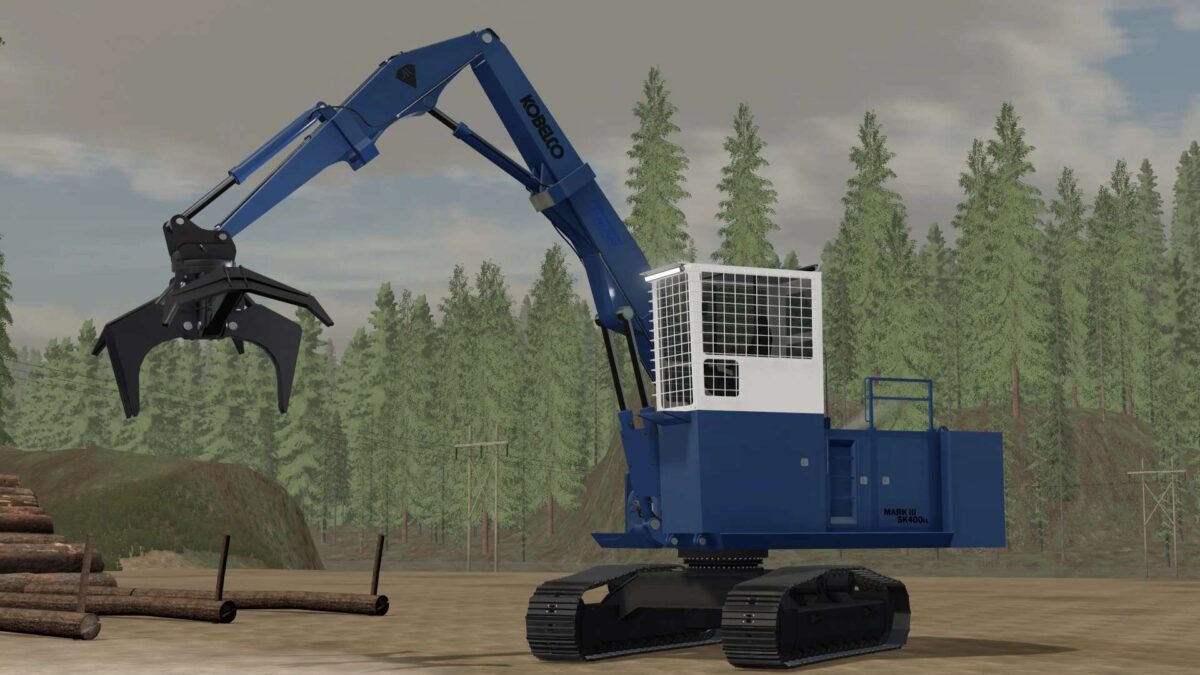
Kobelco SK400LL Log Loader v 1.0

Kobelco SK400LL Log Loader v 1.0

T-Mar Industries began building these loaders out of Kobelco excavators back in the ’90s and they have proven to be tough loaders in the bush, so this mod is made to reflect that.
Since these machines were fully custom, there’s plenty of options for colors, attachers, logos, and more.
Has a functional winch on the front, and is able to be set from a block at the end of the heel when selected.
Attachment options include a fixed head, a heel rack, and a dangle head. Grapple pack includes a butt-n-top grapple and two T-Mar Extreme Duty dangle grapples, one of which has a hotsaw.

Credits:

Elk Falls Logging

How to install FS25 Logging?
Firstly find a mod which you like and want to download. Then download a mod to your PC. Mods are usually in .zip format file. But sometimes it can be in .rar. If a mod file is a .zip format no needed additional actions. If a file is in .rar, then you must unarchive mod with software like WinRar or Zip7. Windows 10 users no need to use software for archives, Win10 itself has a feature to unarchive files.
The next step is to find mods folder in your PC. Usually, it is in Documents/My Games/Farming Simulator 25/2025. Open the "mods" folder and put downloaded .zip archive or unarchived .rar file to this folder.
Last step. Enjoy of FS25 mods!

Leave a Reply

Your email address will not be published. Required fields are marked *